How to Translate Customer Support Calls in Real Time
A customer calls your support line speaking a language your team does not speak. You need to understand their problem, troubleshoot, and provide a solution. The call is happening now. What can you do?
Real-time translation for customer support calls is different from meeting translation. Support calls are more spontaneous, more emotionally charged, and often more technical. The caller is already frustrated. They need help, not a language lesson. This article covers the practical options, their limitations, and how to integrate real-time translation into a support workflow.
Why Support Call Translation Is Different
Meeting translation assumes both parties prepared for the conversation. Support call translation does not have that luxury. The caller dials in with an urgent problem. They may be upset. They may use informal language, regional dialects, or technical jargon specific to their industry. The call is reactive, and the translation needs to keep up.
Key differences from meeting translation:
- No preparation time: You cannot send a glossary to the caller before they dial.
- Higher emotional stakes: The caller is already experiencing a problem. Translation errors add frustration.
- Technical troubleshooting: Support calls involve step-by-step instructions, version numbers, error codes, and specific product terminology.
- Unpredictable audio quality: Callers may be on mobile phones, speakerphone, or in noisy environments. Poor audio degrades speech recognition accuracy.
These factors mean that real-time translation on support calls works best as a supplement to — not a replacement for — other multilingual support strategies.
Options for Real-Time Support Call Translation
Desktop Translation Apps
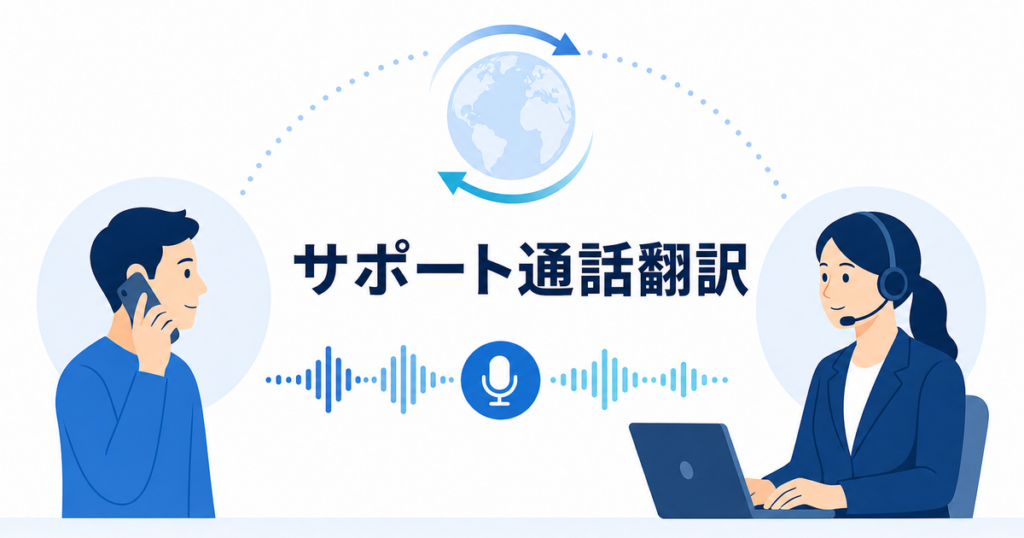
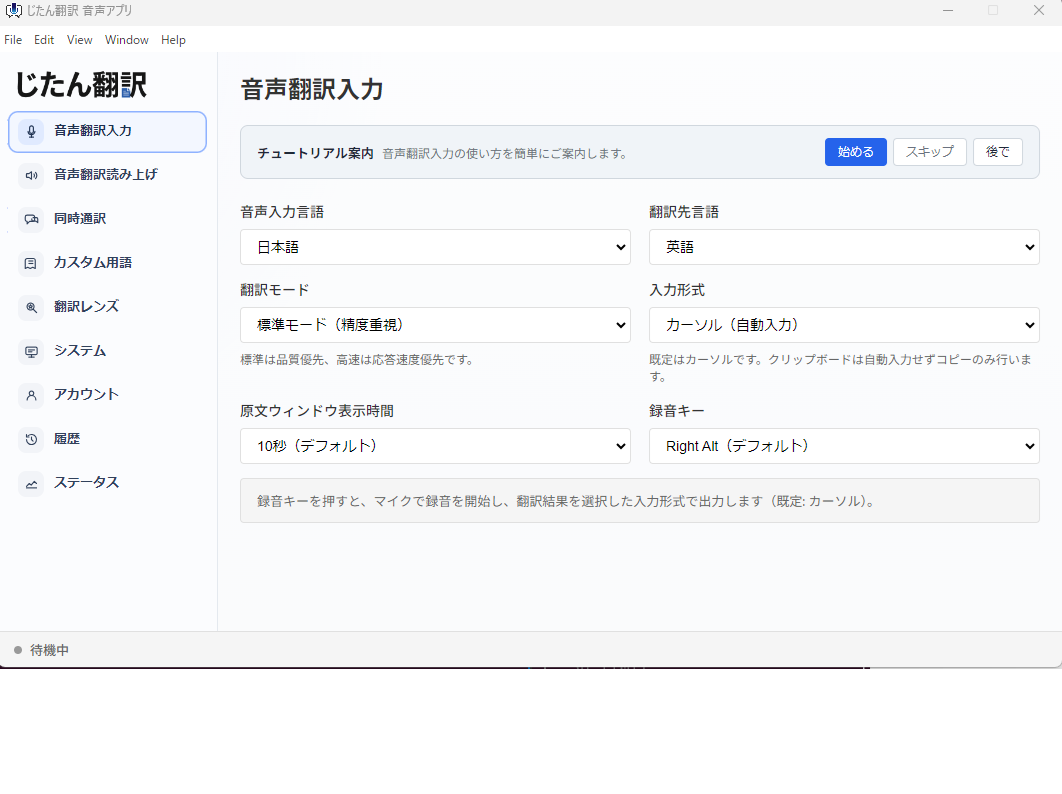
Desktop translation apps capture computer audio and provide real-time translation through a separate interface. For support teams that take calls through a softphone or VoIP application on their computer, this is the most practical option.
Setup: Install the desktop app. Configure it to capture system audio (the caller's voice coming through your computer). The app recognizes the speech, translates it, and displays the translation on screen.
Some apps also offer push-to-talk translation: the agent presses a key, speaks in their language, and the app translates their speech and plays it back through the computer's audio output. The caller hears the translation in their language. Multiple language pairs are supported; check the app for current availability.
Advantages:
- Works with any VoIP or softphone system
- Platform-independent — no integration with your phone system required
- Can translate both the caller's speech and the agent's speech
Limitations:
- There is a delay between speech and translation. The agent must learn to wait for the translation before responding.
- Audio quality directly affects accuracy. A caller on a poor mobile connection produces worse speech recognition.
- The translation window must be visible while the agent also uses their support tools (ticketing system, knowledge base, CRM).
Source: https://jitantranslate.com/en/blog/voice-translation/real-time-translation-zoom-teams-google-meet/
Meeting Platform Translation
If your support team uses Zoom, Teams, or Google Meet for video-based support, the platform's built-in translated captions can work. These display the caller's speech as translated text on screen.
This works for scheduled support sessions where the customer joins a meeting link. It does not work for inbound phone calls, which is where most multilingual support demand originates.
Zoom's translated captions are available on certain plans and support specific language pairs. Check Zoom's documentation for current availability.
Source: https://support.zoom.com/hc/en/article?id=zm_kb&sysparm_article=KB0059081
Microsoft Teams offers live translated captions that can be enabled during meetings and calls.
Source: https://learn.microsoft.com/en-us/microsoftteams/meeting-transcription-captions
Google Meet includes translated captions for supported language pairs on eligible plans.
Source: https://support.google.com/meet/answer/10964115?co=GENIE.Platform%3DDesktop&hl=en
Third-Party Interpreter Services
Dedicated interpreter services connect a human interpreter to the call within seconds. The agent dials a number, selects the language, and a live interpreter joins the call. This provides the most accurate translation but adds per-minute costs.
This approach is appropriate for high-value support interactions, complex technical issues, and situations where the caller is upset and needs to feel heard in their own language.
Chat-Based Translation
Not every support interaction needs to be a phone call. For issues that can be resolved through text, chat-based translation is more reliable than voice translation because text input removes the speech recognition step. The customer types in their language, the text is translated, and the agent reads the translation.
If your support team offers live chat, consider routing multilingual customers to chat rather than phone when the issue is not urgent. Chat translation is generally more accurate than voice translation for the same content.
Building a Translation Workflow for Support Calls
A tiered approach matches the translation method to the situation, ensuring you use the right level of support for each interaction.
Tier 1: Self-Service and Chat First
Before callers reach a live agent, offer translated self-service options:
- Translated knowledge base articles for common issues
- Multilingual chatbot for basic troubleshooting
- Email support with document translation for detailed technical issues
This reduces the volume of calls that need real-time translation and gives customers a way to solve problems without waiting for a translated phone call.
Tier 2: AI-Assisted Live Calls
For calls that require live conversation, use a desktop translation app:
- The agent answers the call through their softphone.
- The translation app captures the caller's audio and displays the translation on screen.
- The agent reads the translation, determines the issue, and responds.
- If using push-to-talk translation, the agent's response is translated and played back to the caller.
Agent training: Agents need training on how to use the translation tool effectively:
- Speak slowly and clearly
- Use simple sentence structures
- Avoid jargon, idioms, and culturally specific references
- Pause between sentences to allow translation processing
- Confirm understanding before proceeding to the next step
Quality expectations: Agents should understand that real-time translation is approximate. It gives enough context to understand the caller's issue, but specific details (error codes, part numbers, addresses) should be confirmed through email or chat.
Tier 3: Human Interpreter Escalation
For calls where AI translation is not sufficient — complex technical issues, upset customers, calls involving account security or billing disputes — escalate to a human interpreter service.
Define clear escalation criteria:
- The caller is clearly frustrated and the AI translation is not helping
- The issue involves sensitive account information that must be exact
- The caller requests to speak to someone in their language
- The agent cannot understand the translation well enough to troubleshoot
- The call involves topics with regulatory or compliance implications
Handling Technical Troubleshooting Through Translation
Technical troubleshooting through real-time translation presents specific challenges that require adjusted techniques.
Error Codes and Version Numbers
These should be confirmed in writing. Ask the caller to email or chat a screenshot of the error. Real-time translation often garbles alphanumeric codes because speech recognition struggles with mixed letter-number sequences.
Step-by-Step Instructions
Walk the caller through one step at a time. After each instruction, pause and let the caller confirm they completed it. Do not give multiple steps at once, because the caller may misunderstand the translation and skip or misinterpret a step.
Example of a translated troubleshooting flow:
- Agent says: "Please click the Settings button." Pause. Wait for translation and caller action.
- Caller confirms: "Okay, I see Settings." Agent reads translation. Proceed.
- Agent says: "Now click on Network." Pause. Wait.
This methodical approach is slower but much more reliable than giving a sequence of instructions that the caller must remember and translate on their own.
Confirming Key Information
When the caller provides their name, account number, contact information, or other details that must be exact, repeat it back to them and ask for confirmation. Better yet, ask them to spell it out or send it via chat or email. This avoids the compounding errors that occur when speech recognition mishears a name and translation further distorts it.
Using Visual Aids
If your support process uses screen sharing, the agent can guide the customer visually while the translation handles the verbal communication. Showing the customer where to click is more reliable than translating "click the gear icon in the upper right corner of the settings menu." Visual demonstrations bypass the translation step entirely for spatial and navigational instructions.
Managing Customer Expectations
Acknowledging the Translation
When you answer a call using real-time translation, acknowledge it:
"I'm using real-time translation to assist you today. There may be a brief delay as I read the translation, and I may ask you to repeat or confirm important details. Thank you for your patience."
This sets expectations and explains why the interaction feels different from a normal support call. Most customers appreciate the transparency and the effort to help them in their language.
Following Up in Writing
After every translated support call, send a written summary email. This serves multiple purposes:
- Confirms the issue, the solution, and any follow-up steps
- Gives the customer a reference they can review without translation delay
- Creates a record of the interaction for your support system
- Corrects any misunderstandings from the live translation
Use document translation for the follow-up email to ensure accuracy. AI-assisted document translation produces more reliable results than live speech translation for the same content.
Privacy and Data Considerations
When using real-time translation for support calls, consider the privacy implications:
- Customer data: Support calls often involve personal information — names, account numbers, addresses, payment details. Understand how your translation tool handles this data. Review whether audio is processed by a cloud service and what happens to it after the call.
- Consent: Depending on your jurisdiction, you may need to inform the caller that translation technology is being used and that their audio is being processed. Check applicable regulations in your region.
- Recording: If you record support calls, determine whether the translation tool creates its own recordings or transcripts, and how those are stored and retained.
- Vendor evaluation: Evaluate translation tool providers' security practices. The FTC provides guidance on assessing vendor security for services that handle business and customer data.
Source: https://www.ftc.gov/business-guidance/small-businesses/cybersecurity/vendor-security
Measuring Effectiveness
Track the performance of translated support calls:
- Resolution rate: Are translated calls resolved at the same rate as native-language calls?
- Call duration: Translated calls typically take longer. Is the increase acceptable?
- Customer satisfaction: Do customers who receive translated support report satisfaction levels comparable to native-language support?
- Escalation rate: How often are translated calls escalated to human interpreters?
- First-contact resolution: How often are translated support issues resolved on the first call versus requiring follow-up?
These metrics tell you whether your translation workflow is effective and where to invest in improvement.
When Not to Use AI Translation for Support
There are situations where AI translation is not appropriate:
- Account security calls: When verifying identity, confirming account details, or processing sensitive changes, accuracy is critical. Use a human interpreter.
- Billing disputes: Financial details must be exact. Misunderstanding a charge amount or refund expectation creates bigger problems.
- Complaints and escalations: Upset customers need to feel heard. AI translation can feel impersonal and may worsen the situation.
- Regulated industries: If your support calls involve health, legal, or financial advice subject to regulatory requirements, consult your compliance team before using AI translation.
For these interactions, invest in human interpreter services or route the caller to a team member who speaks their language.
Long-Term Strategy
Real-time translation is a tool, not a strategy. A comprehensive multilingual support approach includes:
- Translated self-service content: Knowledge base articles, FAQs, and troubleshooting guides in your customers' languages.
- Chat and email support: Text-based support with translation, which is more accurate than voice translation.
- AI-assisted live calls: For real-time issues that cannot wait for email response.
- Human interpreter access: For complex, sensitive, or high-value interactions.
- Hiring multilingual agents: For your most common customer languages, having agents who speak the language natively is the most effective long-term investment.
AI translation fills the gap between options 2 and 4. It handles routine calls that do not justify interpreter costs while providing enough comprehension to triage and resolve many issues. As your multilingual customer base grows, invest in the deeper levels of the strategy alongside the AI translation tools.