The Practical AI Translation Stack for US Businesses in 2026
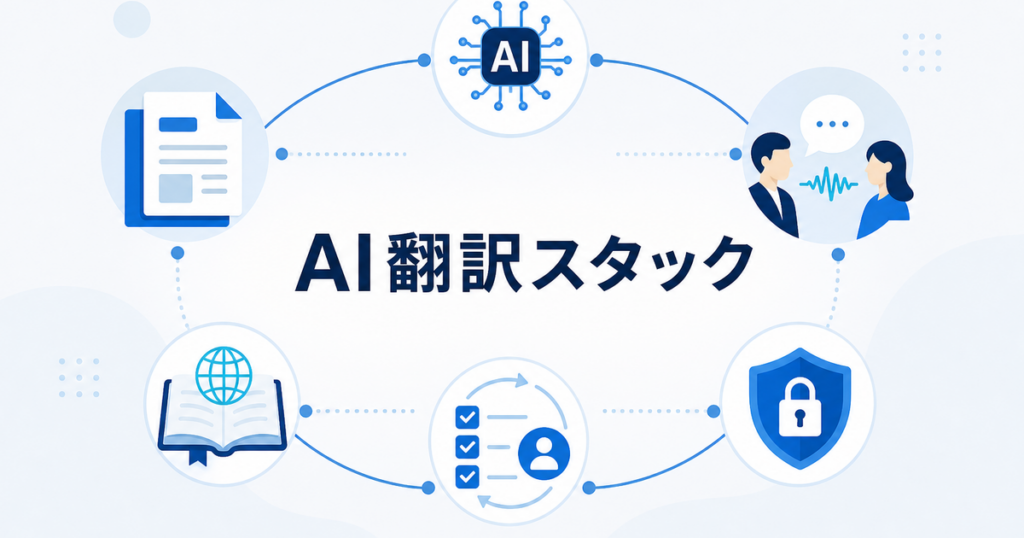
AI translation is no longer a single tool decision. For many US businesses, translation now involves a stack: document translation for files, real-time translation for meetings, glossaries for consistency, review workflows for risk control, and security checks for sensitive content.
The question is not "Which translator is best?" The practical question is: "What combination of tools and process lets our team translate the right content quickly, while still reviewing the documents and conversations that matter?"
This article summarizes a practical AI translation stack for US businesses in 2026. It is written for small and mid-sized teams that need usable translation workflows without building a full localization department.
What a Translation Stack Needs to Cover
Most businesses do not have just one translation need. They have several:
- PDFs, Word documents, PowerPoint decks, and Excel files
- Customer support articles and macros
- Sales proposals and product datasheets
- Employee handbooks and onboarding documents
- Safety procedures and training materials
- Zoom, Teams, and Google Meet calls
- Webinars, product demos, and customer support calls
- Sensitive files that require data-handling review
- Recurring terminology that must stay consistent
One tool rarely handles all of this well. A practical stack covers five layers:
- Document translation
- Real-time voice and meeting translation
- Terminology and glossary management
- Human and subject-matter review
- Security, privacy, and governance
Layer 1: Document Translation
Document translation is the foundation. It handles files instead of isolated text snippets.
Business teams need document translation for:
- PDF reports
- DOCX policies
- PPTX sales decks
- XLSX spreadsheets
- Product manuals
- Training materials
- Customer notices
- Board materials
The key capability is not only language translation. It is preserving enough of the document structure that reviewers can work efficiently.
What to Look For
A practical document translation layer should support:
- Common business file formats
- Layout-aware output
- Tables and charts
- Reviewable files
- Reasonable file-size limits
- Clear data handling terms
- A workflow for scanned PDFs or image-based content
Google Translate, DeepL, and Microsoft Translator all provide document translation capabilities in different forms, with their own supported formats, limits, and workflow assumptions. Check the current official documentation before choosing a standard tool for your team.
Sources: https://support.google.com/translate/answer/2534559?co=GENIE.Platform%3DDesktop&hl=en-AU https://support.deepl.com/hc/en-us/articles/360020582359-Document-formats https://learn.microsoft.com/en-us/azure/ai-services/translator/document-translation/overview
Where Jitan Translate Fits
Jitan Translate is useful when your workflow centers on formatted business files such as PDF, DOCX, PPTX, and XLSX. The practical value is creating a review-ready translated draft while reducing manual reformatting. Review is still important, especially for legal, safety, medical, financial, and customer-facing documents.
For PDF-specific detail, see how to translate PDF files without losing formatting.
Layer 2: Real-Time Voice and Meeting Translation
Meetings create a different translation problem. Documents can be reviewed after translation. Live speech has to be understood in the moment.
Businesses need real-time translation for:
- Sales calls
- Product demos
- Customer support calls
- Interviews
- Webinars
- Town halls
- Training sessions
- Internal meetings with multilingual teams
There are three main approaches.
Built-In Meeting Platform Features
Zoom, Microsoft Teams, and Google Meet offer caption, transcript, or interpretation features depending on plan, settings, and language availability. These are convenient when everyone is already in the same meeting platform and the feature is available.
Best for:
- Standard meetings
- Captions for participant understanding
- Teams that can rely on platform settings
Limits:
- Feature availability can depend on plan and language pair
- Admin settings may be required
- Output is often caption-based rather than full interpreted audio
- The workflow may not cover audio outside the meeting app
Meeting Bots and Event Platforms
Meeting bots and event translation platforms can join calls, transcribe, summarize, translate, or provide event-level language support. They can be useful for webinars and larger events, but they introduce privacy, consent, and participant-visibility considerations.
Best for:
- Webinars
- Recorded events
- Multi-participant sessions where a bot is acceptable
Limits:
- A bot may appear in the meeting
- Some customers may object
- Audio is processed by another service
- Admin approval may be needed
Desktop Translation Apps
Desktop apps listen to computer audio and provide translation outside the meeting platform. This can be useful when you need translation across Zoom, Teams, Meet, browser audio, videos, and other business audio sources.
Best for:
- Users who switch between meeting platforms
- Listening to customer calls, webinars, or training videos
- Situations where the meeting host has not enabled translated captions
- One-user understanding and follow-up
Limits:
- Audio quality affects output
- Review is needed before using live output for important decisions
- Teams should understand how audio is processed and stored
For a deeper comparison, see real-time translation for Zoom, Teams, and Google Meet.
Layer 3: Terminology and Glossaries
Translation quality depends heavily on terminology. Generic AI translation may handle everyday language well, but business documents contain terms that need consistency:
- Product names
- Feature names
- Legal terms
- Safety terms
- HR policy terms
- Financial metrics
- Department names
- Acronyms
- Brand phrases
A glossary prevents the same term from being translated three different ways across sales decks, support articles, and employee documents.
What a Small Glossary Should Include
Start with:
- Source term
- Approved translation
- Language
- Context
- Notes
- Owner
- Last updated
The glossary can be a spreadsheet. It does not need to be complex. The important part is that reviewers update it when they correct recurring terms.
For a practical process, see how to maintain an AI translation glossary.
Layer 4: Review Workflow
AI translation should not be treated as one quality level. A good stack assigns review based on risk.
Low-Risk Content
Examples:
- Internal notes
- Draft research
- Informal team updates
- Short-lived reference material
Workflow:
- AI translation
- Optional quick check
- Use for understanding
Standard Business Content
Examples:
- Customer emails
- Help center articles
- Sales proposals
- Product datasheets
- Training materials
Workflow:
- AI translation draft
- Bilingual review
- Terminology check
- Formatting check
High-Risk Content
Examples:
- Legal agreements
- Safety procedures
- Medical or health instructions
- Financial disclosures
- Regulatory filings
- Trade compliance materials
Workflow:
- AI translation for draft or internal understanding
- Subject-matter review
- Legal, compliance, safety, medical, or finance review as applicable
- Clear source-version control
This is where many AI translation workflows fail. Teams either over-review everything, which slows the process, or under-review high-risk content, which creates avoidable problems. Risk tiers solve that tradeoff.
For a review framework, see when to use human translation review on AI drafts.
Layer 5: Security, Privacy, and Governance
Translation tools process business data. Some documents contain personal information, customer data, financial data, trade secrets, employee records, or legal material. A translation stack needs a data-handling layer.
Ask these questions:
- What data is uploaded?
- Is the data retained after translation?
- Can users delete uploaded files?
- Is the content used for model training?
- Who can access the translated output?
- Does the vendor publish security and privacy information?
- Is the tool appropriate for the document's risk level?
- Are employees trained on what not to upload?
The NIST AI Risk Management Framework is a useful reference for thinking about AI risk in organizational workflows. It is not a translation-specific rulebook, but it reinforces the idea that AI use should be governed, mapped, measured, and managed.
Source: https://www.nist.gov/itl/ai-risk-management-framework
For translation-specific questions, see translation data retention questions to ask before uploading files.
A Practical Stack by Team Type
Small Business With Occasional Translation Needs
Recommended stack:
- Document translation tool for PDF, DOCX, PPTX, and XLSX
- Simple glossary spreadsheet
- One bilingual reviewer
- Shared folder with version names
- Basic data-handling checklist
Use this when translation is occasional but important.
Growing SaaS or B2B Team
Recommended stack:
- Document translation for sales, support, and onboarding files
- Desktop real-time translation for sales calls and demos
- Glossary for product and feature names
- Review checklist for customer-facing content
- Intake form for translation requests
- Security review for sensitive uploads
Use this when sales, support, and customer success teams regularly need multilingual content.
Operations, HR, or Manufacturing Team
Recommended stack:
- Document translation for SOPs, training, policies, and notices
- Subject-matter review for safety and compliance content
- Version control between source and translated files
- Glossary for operational and safety terms
- Clear ownership for updates
Use this when translated documents affect employee understanding, safety, or operational consistency.
International Sales Team
Recommended stack:
- PowerPoint and PDF translation for decks and proposals
- Real-time translation for calls and demos
- Follow-up document translation for Q&A summaries
- Glossary for product claims and pricing terms
- Review for customer-facing materials
Use this when translation supports pipeline, demos, and customer relationships.
Example Workflow: From Meeting to Document
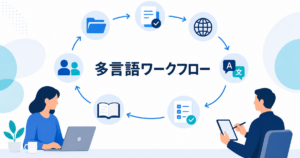
A practical translation stack connects live and written workflows.
- A sales team holds a product demo with a Japanese prospect.
- A desktop translation app helps the English-speaking rep understand questions during the call.
- After the meeting, the team writes a Q&A summary.
- The summary is translated as a document, not copied manually into a chat translator.
- Product terms are checked against the glossary.
- A bilingual reviewer checks the final customer-facing version.
- The translated summary and sales deck are stored in the account folder.
This stack separates live understanding from final written communication. Live translation helps the meeting move. Document translation and review create the follow-up asset.
What Not to Do
Avoid these common mistakes:
- Using browser translation for business documents with complex formatting
- Uploading sensitive files without checking data retention
- Treating AI output as final for legal, medical, safety, or financial content
- Translating screenshots when editable source files exist
- Maintaining no glossary and correcting the same terms repeatedly
- Letting translated files drift away from source versions
- Choosing a tool based only on language count instead of workflow fit
- Ignoring meeting-platform licensing and settings until the call starts
Buying Checklist
Before choosing tools, ask:
- What file types do we translate most often?
- Do we need real-time meeting translation?
- Which languages matter now, and which may matter later?
- Do we need layout preservation or only plain text?
- Do we need glossary support?
- How sensitive are the documents?
- Who reviews each risk tier?
- Where will translated files be stored?
- How will source updates trigger translation updates?
- What is the fallback for high-stakes content?
The best stack is the one your team will actually use consistently.
Summary
The practical AI translation stack for US businesses in 2026 combines document translation, real-time voice translation, terminology management, review workflows, and data-handling controls. Document translation handles formatted files. Real-time translation helps with meetings and business audio. Glossaries create consistency. Review tiers protect high-risk content. Security checks prevent careless uploads.
AI translation is most useful when it is part of a workflow rather than a one-click replacement for judgment. Use it to create fast, review-ready drafts, to understand live conversations, and to reduce manual formatting work. Then apply the right review level for the document, audience, and risk.
That is the stack that scales: practical tools, clear ownership, repeatable review, and enough governance to keep translation useful without making it slow.