
How to Create a Multilingual Document Workflow for a Small Team
Small teams often translate documents in a reactive way. A customer asks for a Spanish version of a proposal. A new hire needs an employee handbook in another language. A distributor requests a product datasheet. Someone copies the source text into a translation tool, downloads a draft, fixes what they can, and sends it out.
That approach works once or twice. It does not scale. After a few months, nobody knows which translated file is current, which glossary term is approved, who reviewed the legal section, or whether the latest source update was translated.
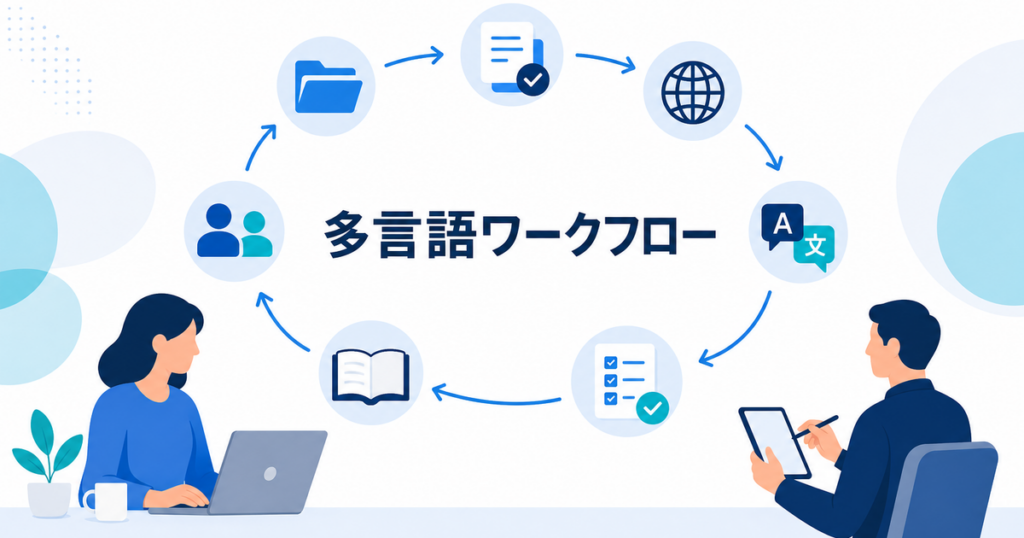
This article explains how a small team can build a multilingual document workflow without buying a complex enterprise translation management system. The goal is a repeatable process that keeps documents organized, reviewable, and safe enough for business use.
The Small-Team Translation Problem
Large companies often have localization managers, translation vendors, terminology databases, and review platforms. Small teams usually have:
- One operations person managing documents
- One bilingual employee helping with review
- One manager approving customer-facing materials
- A shared drive full of source files and translated copies
- A translation tool used when needed
The challenge is not only translation quality. It is coordination. Small teams need a workflow that answers five questions:
- Which documents need translation?
- Which source version is authoritative?
- Which tool or reviewer should handle each document?
- Where are translated files stored?
- How do updates flow from source to translation?
If you cannot answer these questions quickly, translated documents will drift out of date.
Step 1: Build a Document Inventory
Start with a simple spreadsheet. List every document that might need translation.
Recommended columns:
| Column | Purpose |
|---|---|
| Document name | Human-readable title |
| Source file path | Where the original file lives |
| Source language | Usually English for US teams |
| Target languages | Languages needed |
| Owner | Person responsible for source updates |
| Audience | Internal, customer, vendor, employee, public |
| Risk level | Low, medium, high |
| Review owner | Person or team that reviews translations |
| Current translated version | Link to the latest translated file |
| Last updated | Date of last source or translation update |
This inventory does not need to be perfect. It needs to exist. Once the list is visible, your team can prioritize.
Step 2: Sort Documents by Risk
Not every document needs the same process. A low-risk internal memo and a customer-facing safety instruction should not go through the same review path.
Use three practical tiers.
Tier 1: Low-Risk Internal Documents
Examples:
- Internal meeting summaries
- Draft planning notes
- Informal training references
- Internal knowledge base articles
Workflow:
- AI translation draft
- Quick bilingual review if available
- Store in the shared translated folder
These documents are used for understanding. If a sentence is slightly awkward but understandable, the risk is low.
Tier 2: Standard Business Documents
Examples:
- Sales proposals
- Product datasheets
- Customer onboarding guides
- Employee handbooks
- Support macros
Workflow:
- AI translation draft
- Glossary check
- Bilingual or subject-matter review
- Final layout check
- Store with version number
These documents represent your business. They need a real review step.
Tier 3: High-Risk Documents
Examples:
- Legal agreements
- Safety procedures
- Medical or health instructions
- Financial reports
- Regulatory filings
- Trade compliance documents
Workflow:
- AI translation for internal understanding or first draft
- Review by someone with appropriate subject-matter knowledge
- Legal, compliance, safety, or domain review as needed
- Clear note identifying the authoritative source version
For these documents, AI translation can speed up preparation, but final use depends on the context and review standard.
Step 3: Create a File Naming Rule
File naming prevents confusion. Use a predictable pattern:
DocumentName_SourceLanguage_TargetLanguage_Version_Status.ext
Examples:
- EmployeeHandbook_EN_ES_v3.2_AI-draft.docx
- EmployeeHandbook_EN_ES_v3.2_reviewed.docx
- ProductDatasheet_EN_FR_v1.4_final.pdf
- SalesProposal_EN_JA_2026-06-client-review.pptx
Keep status labels simple:
sourceAI-draftreviewedfinalarchived
Do not use vague names like "final final," "new version," or "Spanish updated." Those names become impossible to manage.
Step 4: Decide Where Files Live
Use a folder structure that mirrors the workflow.
Example:
Source Documents
- HR
- Sales
- Product
- Support
- Legal
Translated Documents
- Spanish
- Japanese
- French
- Korean
- Vietnamese
Archive
- Superseded source files
- Superseded translations
- Old drafts
For small teams, a shared drive is enough if permissions are managed carefully. Sensitive files should not be stored in open folders. Use access controls for legal, HR, financial, and customer data.
Step 5: Define Translation Intake
Avoid one-off translation requests through chat messages. Create a simple intake form or request template.
Required fields:
- Source file link
- Target language
- Audience
- Deadline
- Business purpose
- Risk level
- Required reviewer
- Whether formatting must be preserved
- Whether the file contains confidential or personal information
This prevents missing context. A translator or AI tool performs better when the team knows what the document is for.
Step 6: Use a Review Checklist
A small team does not need a complicated QA system, but it does need a checklist.
For every reviewed translation, check:
- Completeness: nothing missing
- Terminology: approved terms used consistently
- Numbers: dates, prices, quantities, and percentages match
- Names: people, products, departments, and locations are correct
- Formatting: tables, slides, and lists remain usable
- Tone: appropriate for audience
- Links: internal and external links still work
- Risk items: legal, safety, medical, financial, or compliance sections reviewed by the right person
For a more detailed review process, see AI translation review checklist for business documents.
Step 7: Maintain a Glossary
A glossary is the highest-leverage asset in a small translation workflow. It prevents repeated corrections and makes AI-assisted drafts easier to review.
Start with 30 to 50 terms:
- Product names
- Feature names
- Pricing terms
- Department names
- Legal terms used often
- Safety terms
- Acronyms
- Words that should stay in English
A glossary can be a spreadsheet. Include columns for:
- Source term
- Approved translation
- Language
- Context
- Notes
- Last updated
- Owner
When a reviewer changes a term, ask whether it should be added to the glossary. Over time, the glossary becomes the memory of your translation process.
For more on this process, see how to maintain an AI translation glossary.
Step 8: Choose Tools by Document Type
Small teams often ask, "Which translation tool should we use?" The better question is, "Which tool fits this document type?"
For DOCX, PPTX, XLSX, and PDF
Use a document translation tool that can handle formatted files. Google Translate supports common document formats with documented limits, and DeepL supports several business file formats depending on product and plan. Check current documentation before standardizing on a workflow.
Sources: https://support.google.com/translate/answer/2534559?co=GENIE.Platform%3DDesktop&hl=en-AU https://support.deepl.com/hc/en-us/articles/360020582359-Document-formats
For Long or Sensitive Documents
Use a tool or process that gives you better control over retention, review, and access. Ask:
- Does the tool retain uploaded files?
- Can you delete files after translation?
- Who can access the translated output?
- Is the document used for model training?
- Does the vendor publish security and privacy information?
For vendor evaluation, see translation data retention questions to ask before uploading files.
For Recurring High-Volume Work
If your team translates many documents each month, consider whether you need:
- Glossary support
- Translation memory
- Batch upload
- Version tracking
- Reviewer assignments
- API integration
Do not buy complexity before you need it. Start with a disciplined folder, naming, glossary, and review process. Add tooling when the manual workflow becomes the bottleneck.
Step 9: Build an Update Loop
The most common workflow failure is source-document updates. A policy changes in English, but the translated version stays unchanged for months.
Add update triggers:
- When a source file changes, the owner checks whether translations exist.
- When a high-risk source file changes, translation review is part of the release checklist.
- When a translated document receives user feedback, the source owner reviews whether the source text was unclear.
- When a glossary term changes, affected documents are flagged for future updates.
Version control does not need to be technical. It needs to be consistent.
For a deeper workflow, see translation version control for source and translated documents.
Step 10: Assign Roles
Even a small team needs ownership.
Recommended roles:
- Source owner: Owns the original document and updates.
- Translation coordinator: Manages intake, files, and tool use.
- Language reviewer: Checks meaning and fluency.
- Subject-matter reviewer: Checks technical, legal, safety, financial, or domain accuracy.
- Approver: Decides when the document is ready to distribute.
One person can hold multiple roles. The important point is that the roles are explicit. If everyone is responsible, no one is responsible.
Start With One Language Before Scaling
Small teams sometimes try to launch a full multilingual workflow across five or six languages at once. That creates too many moving parts before the process is stable. A better approach is to pilot the workflow with one important language and one recurring document type.
For example, start with Spanish employee documents, Japanese sales decks, or French customer support articles. Run the full process once:
- Inventory the source documents.
- Create the glossary.
- Translate the first batch.
- Review the output.
- Store the final files.
- Record the corrections.
- Update the workflow based on what slowed the team down.
After one language works, add the next. This lets your team improve the process before multiplying it. It also reveals which parts of the workflow need clearer ownership. If reviewers are late, define review deadlines. If formatting cleanup takes too long, adjust the source templates. If terminology corrections repeat, expand the glossary.
Scaling translation is easier when the first workflow is boring, predictable, and documented.
A Practical Workflow Example
Imagine a small SaaS company translating a customer onboarding guide into Spanish and Japanese.
- The customer success lead submits the DOCX source file through the intake form.
- The translation coordinator assigns it Tier 2 because it is customer-facing.
- The source owner confirms the version is final for this release.
- The coordinator uploads the DOCX to a document translation tool.
- The translated DOCX files are saved as AI drafts.
- Bilingual reviewers check terminology, tone, and completeness.
- A product specialist checks feature names and workflow accuracy.
- The coordinator fixes formatting issues and saves reviewed versions.
- The final files are linked in the document inventory.
- Glossary corrections are added for future projects.
This process is not heavy. It can be completed in a few hours for a moderate document, but it creates a record that the team can reuse.
Common Mistakes
Translating From the Wrong Source
If reviewers translate from an outdated source file, the final translation is outdated before it is published. Always confirm the source version first.
Skipping the Inventory
Without an inventory, translated files become invisible. Teams forget they exist, duplicate work, or distribute old versions.
Treating Every Document the Same
Low-risk notes and high-risk legal documents need different workflows. Risk tiers keep the process efficient.
Ignoring Layout
A translation can be linguistically correct and still unusable if tables overflow, slide text is unreadable, or page breaks split key content.
Forgetting Feedback
Readers will notice confusing translations. Capture that feedback and use it to improve the glossary and future source writing.
Summary
A multilingual document workflow does not need to be enterprise-grade to be useful. Small teams need a document inventory, risk tiers, clear file names, a review checklist, a glossary, and an update loop. AI-assisted document translation can produce fast drafts, but the workflow around the draft determines whether the translated document stays accurate and usable over time.
Start with the documents that matter most: customer-facing materials, employee documents, product documentation, and recurring templates. Build the workflow around those. Once the process works, expand it to more languages and document types.