You need translation in your meetings. That much is clear. What is less clear is which approach to use. Platform built-in captions, bot-based translation services, desktop translation apps, or human interpreters all solve the same basic problem, but they solve it in very different ways.
Each approach has tradeoffs involving setup complexity, privacy, cost, reliability, and meeting etiquette. The right choice depends on who is in the meeting, what is being discussed, and how your team operates.
This article provides a decision framework for choosing the right meeting translation approach for your specific situation.
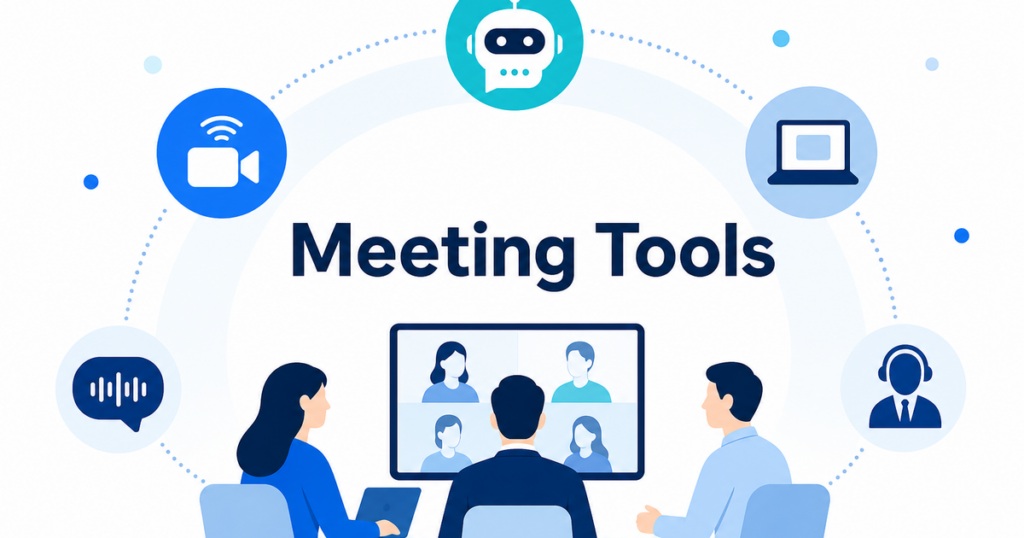
The Four Options
Before comparing, let’s define each approach clearly.
Platform Built-In Captions
Most major meeting platforms now offer some form of translated captions. The host enables the feature, and participants can select their preferred language. The translation is handled by the platform’s own speech recognition and machine translation engines.
Examples include Zoom translated captions, Microsoft Teams translated captions, and Google Meet translated captions.
Bot-Based Translation Services
Bot-based tools join your meeting as a virtual participant. The bot captures the meeting audio, processes it through the service’s servers, and provides translation through a separate interface. Some bots also offer transcription, AI notes, and other features.
Examples include services like Otter.ai, Fireflies, and similar tools that send a bot to join your meeting.
Desktop Translation Apps
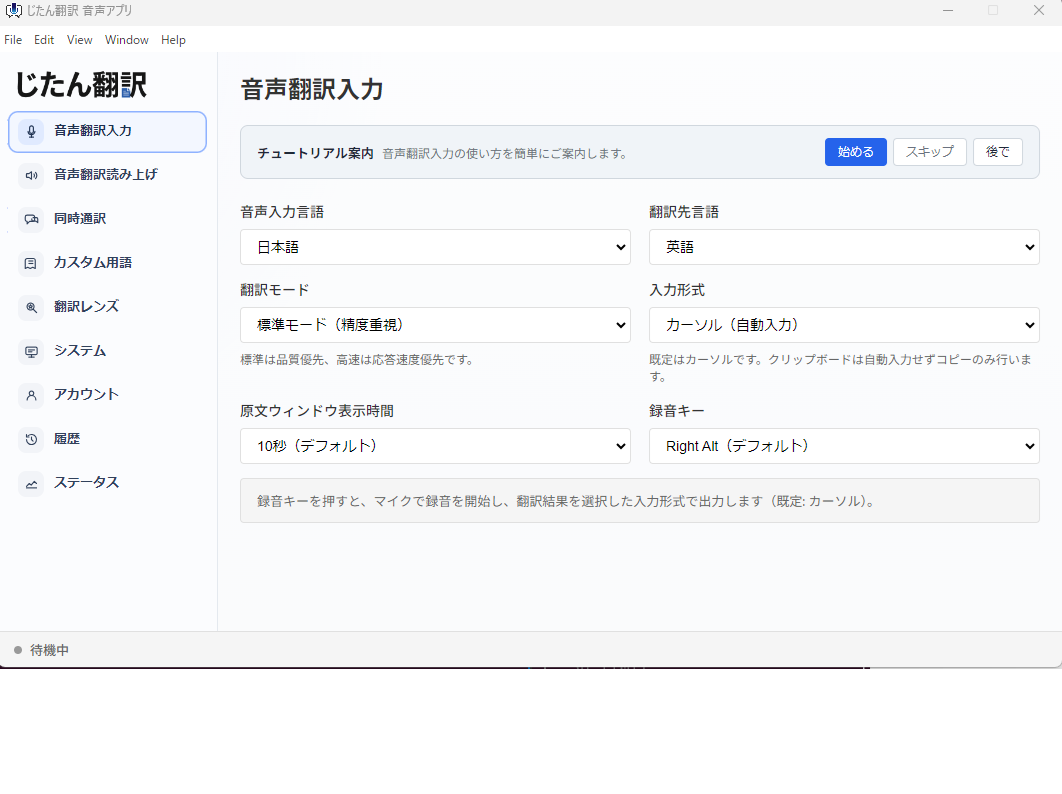
Desktop apps run on your computer and work with the audio playing through your system. They do not join the meeting. They process whatever audio your computer receives and display translated text on your screen.
Examples include Jitan Translate’s voice translation app and similar desktop-based tools.
Human Interpreters
Professional interpreters provide real-time translation by listening to the meeting and speaking or providing text in the target language. This can happen in person, over the phone, or through the meeting platform’s interpretation channel.
Examples include simultaneous interpreters at conferences and Zoom’s interpretation feature with human interpreters.
The Decision Matrix
Let’s compare the four approaches across the dimensions that matter most for business meetings.
Setup Complexity
| Approach | Setup Required |
|---|---|
| Platform captions | Host must enable. One-time per meeting. |
| Bot-based | Account setup, calendar integration, host must admit bot. |
| Desktop apps | One-time installation. No per-meeting setup. |
| Human interpreters | Scheduling, briefing, platform configuration. |
Platform captions are the simplest when they are available. Desktop apps are a close second because the setup is truly one-time. Bot-based tools require more initial configuration plus per-meeting host cooperation. Human interpreters require the most advance planning.
Host Dependency
| Approach | Depends on Host? |
|---|---|
| Platform captions | Yes. Host’s plan must include the feature. |
| Bot-based | Yes. Host must admit the bot to the meeting. |
| Desktop apps | No. Works regardless of host settings. |
| Human interpreters | Partially. Host may need to configure interpretation channels. |
This is a critical differentiator. If you regularly join meetings hosted by other organizations, platform captions and bot-based tools both depend on factors outside your control. Desktop apps are the only approach that is fully independent of the host.
Privacy Profile
| Approach | Data Handling |
|---|---|
| Platform captions | Processed by platform’s cloud (e.g., Microsoft, Google, Zoom). |
| Bot-based | Bot joins meeting, audio processed on vendor’s servers, may create independent recording. |
| Desktop apps | Audio processed locally or through app’s cloud service. No meeting participant added. |
| Human interpreters | Human hears everything. Confidentiality agreements standard. |
For privacy-sensitive meetings, desktop apps and human interpreters offer the most controlled data handling. Platform captions add processing by the meeting platform’s cloud. Bot-based tools introduce the most third-party involvement.
Meeting Etiquette Impact
| Approach | Visible to Others? |
|---|---|
| Platform captions | No. Each participant enables captions privately. |
| Bot-based | Yes. Bot appears in participant list and gallery. |
| Desktop apps | No. Runs locally, invisible to other participants. |
| Human interpreters | Yes. Interpreter is present (in person or as audio channel). |
If you want translation without other participants knowing, platform captions and desktop apps are your options. Bot-based tools and human interpreters are visible to everyone in the meeting.
Translation Quality
| Approach | Quality Level |
|---|---|
| Platform captions | Machine translation. Good for general conversation. |
| Bot-based | Machine translation. Similar quality to platform captions. |
| Desktop apps | Machine translation. Quality depends on the app’s engine. |
| Human interpreters | Professional quality. Captures nuance, context, and intent. |
For general business meetings, machine translation from any source is usually adequate for following the main points. For anything where precise meaning matters, human interpreters are significantly better.
Cross-Platform Consistency
| Approach | Works Across Platforms? |
|---|---|
| Platform captions | No. Each platform has its own implementation. |
| Bot-based | Varies. Some bots support multiple platforms, some do not. |
| Desktop apps | Yes. Works with any audio source. |
| Human interpreters | Yes. Interpreters work with any meeting setup. |
If your team uses multiple meeting platforms, desktop apps and human interpreters provide the most consistent experience.
Cost
| Approach | Cost Structure |
|---|---|
| Platform captions | Included in some plans. May require plan upgrade. |
| Bot-based | Monthly subscription per user. |
| Desktop apps | Varies by tool. May offer free and paid tiers. |
| Human interpreters | Per-hour or per-day rate. Most expensive option. |
Platform captions are the most cost-effective when they are included in your existing plan. Desktop apps are typically affordable for individual users. Bot-based tools add a recurring subscription cost. Human interpreters are the most expensive but provide the highest quality.
Decision Framework: Which Approach for Which Meeting
Scenario 1: Internal Team Meeting
Your team speaks multiple languages. The meeting is on your company’s standard platform. The host is always someone from your team.
Recommended: Platform captions.
You control the host’s plan, so the feature is always available. Setup is minimal. Everyone on the team can enable captions in their preferred language. No additional cost if your plan includes it.
Add desktop apps as a backup for team members whose preferred language is not supported by the platform’s caption feature.
Scenario 2: Regular Client Meetings
You have recurring meetings with a client who speaks a different language. The client hosts the meeting on their platform.
Recommended: Desktop app.
You cannot control the client’s meeting platform or plan. A desktop app gives you translation regardless of how the client sets up the meeting. It is invisible to the client, so there is no etiquette concern. You use the same tool for every client meeting regardless of which platform the client prefers.
Scenario 3: One-Time External Meeting
You are joining a one-time meeting with a partner or vendor. You do not know in advance which platform they use or what features are available.
Recommended: Desktop app.
Same reasoning as client meetings. A desktop app works immediately with no advance setup and no dependency on the host’s configuration. You can be confident you will have translation support from the moment you join.
Scenario 4: Large Webinar or Event
You are hosting or attending a large event with participants speaking multiple languages.
Recommended: Human interpreters with platform captions as backup.
For large events, the quality and reliability of human interpreters justify the cost. Professional interpreters handle the complexity of multiple speakers, technical content, and audience expectations better than any automated tool. Platform captions can supplement as a backup for participants who want additional support.
Scenario 5: High-Stakes Negotiation
Your team is negotiating a contract, partnership, or deal with a counterpart who speaks a different language.
Recommended: Human interpreters.
Machine translation is not reliable enough for negotiations. Precise wording matters, and the cost of a misunderstanding is high. Professional interpreters provide the accuracy and nuance that automated tools cannot.
Scenario 6: Ad Hoc Multilingual Call
An unexpected need arises for a multilingual conversation. There is no time for advance planning.
Recommended: Desktop app.
Desktop apps are the fastest to deploy in an ad hoc situation. You open the app, select your language, and join the call. No scheduling, no host cooperation, no advance notice needed.
The Layered Approach
Most organizations benefit from using more than one approach. Here is a practical layered strategy:
Layer 1: Platform captions for internal meetings. Enable translated captions on your team’s standard meeting platform. This covers the most common scenario with the least friction.
Layer 2: Desktop app for external meetings. Equip team members who regularly meet with external parties in other languages with a desktop translation app. This ensures they always have translation support regardless of the host’s setup.
Layer 3: Human interpreters for critical meetings. Maintain a relationship with a professional interpretation service for meetings where machine translation quality is not sufficient.
Layer 4: Bot-based tools for specific use cases. If your team needs shared transcripts and AI notes alongside translation, a bot-based service can fill that role for internal meetings where the team has vetted and approved the vendor.
Not every team needs all four layers. A team that only has internal meetings might only need Layer 1. A sales team that meets with international clients every week might need Layers 1, 2, and 3. The point is to think about translation as a capability stack rather than a single tool choice.
Common Mistakes to Avoid
Choosing Based on a Single Dimension
Teams often choose a translation approach based on cost alone or setup complexity alone. This leads to problems in other dimensions. A free platform caption feature that does not work with external hosts is not actually cost-effective if your team cannot use it in half their meetings.
Consider at least three dimensions: cost, privacy, and host dependency. The right choice balances all three for your specific situation.
Assuming Platform Captions Are Always Available
Platform translated captions depend on the host’s subscription plan. This is the most common source of surprise. Teams assume that because they have translated captions on internal meetings, they will have them everywhere. When a client invites them to a meeting on a different platform or a lower-tier plan, the captions disappear.
Always have a backup that does not depend on the host.
Overlooking Privacy in Client Meetings
Using a bot-based translation tool in a client meeting without disclosing it is a trust violation. Even if the bot provides better translation quality than a desktop app, the privacy and etiquette concerns may outweigh the quality benefits in client-facing situations.
Match the tool to the audience. Internal meetings can tolerate more visible and intrusive tools. Client meetings call for subtler approaches.
Waiting Until the Meeting Starts
The worst time to set up a translation tool is five minutes before a meeting with an important client. Install, configure, and test your translation tools before you need them. Run a test call with a colleague to verify that the tool works, the audio quality is adequate, and the display does not obstruct your meeting view.
Getting Started
If your team is new to meeting translation, start simple:
- Enable platform captions on your internal meeting platform. This takes minutes and costs nothing if your plan includes it.
- Have at least one team member install a desktop translation app and test it in an external meeting. This gives you a cross-platform backup.
- Evaluate whether you need human interpreters by assessing how often your team has meetings where machine translation quality is insufficient.
- Document your team’s translation approach so everyone knows which tool to use for which type of meeting.
Starting with these steps gives your team immediate translation support while you evaluate whether more advanced approaches are needed.
The Bottom Line
There is no single best meeting translation tool. The right choice depends on who is in the meeting, who controls the platform, how sensitive the content is, and what quality level you need.
Platform captions are the easiest starting point for internal meetings. Desktop apps are the most versatile option for external meetings. Human interpreters are the gold standard for quality. Bot-based tools fill a niche when you need shared transcripts and AI notes alongside translation.
The smartest approach is to have multiple options available and choose the right one for each meeting. This ensures your team always has translation support that fits the situation, without over-investing in tools you only need occasionally or under-investing in quality for meetings where it matters most.