Aqua Voice vs Jitan Translate Voice Input: Which Is Better for Japanese Users?
Aqua Voice is one of the AI dictation tools people may compare when looking for speech-to-text across apps.
But if you are a Japanese user, the best choice is not only about dictation quality. You may also care about Japanese input, English translation, hotkey workflow, and monthly cost.
Jitan Translate's voice translation input offers a stronger everyday workflow for Japanese users: it can work as Japanese-to-Japanese dictation, Japanese-to-English translation input, and a general Windows voice input workflow. For users who want both dictation and translation, it is a practical Aqua Voice alternative with a noticeably faster response in everyday short-form input.
This article compares Aqua Voice and Jitan Translate from a Japanese user's perspective.
What Aqua Voice Is Built For
Aqua Voice is an AI voice dictation product for Mac, Windows, and iOS. Its website emphasizes dictation, natural speech, AI-ready text, and use across many apps.
According to Aqua Voice's official pricing page, the Pro plan is shown as $8/month billed annually, and the Team plan is shown as $12/month billed annually. Aqua's FAQ says users can choose monthly or annual billing in checkout, so the exact monthly billing price should be confirmed at purchase time.
Sources:
What Jitan Translate Voice Input Is Built For
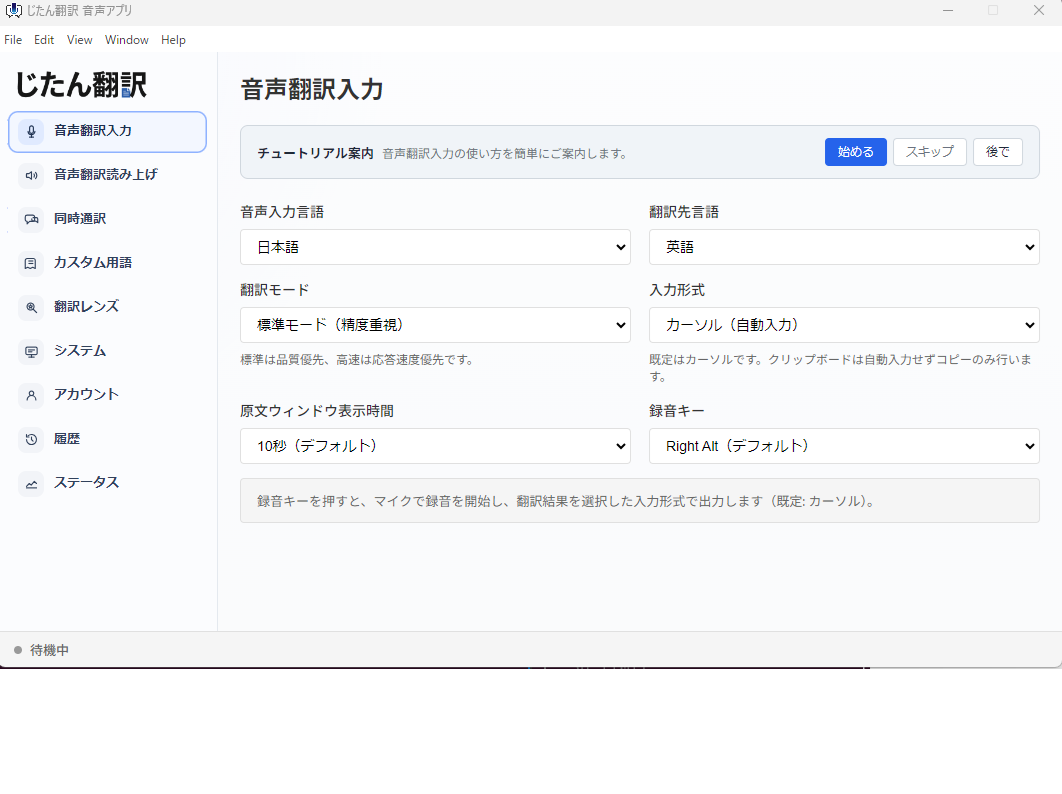
Jitan Translate includes voice translation input that also works as everyday voice input.
The key difference is that it supports both:
- Same-language dictation, such as Japanese to Japanese.
- Translation input, such as Japanese to English or English to Japanese.
That means one workflow can cover normal Japanese writing and multilingual communication.
For example:
- Speak Japanese and insert Japanese text into an email.
- Speak Japanese and insert English text into a chat message.
- Dictate a Japanese prompt for an AI assistant.
- Create a Japanese meeting note by speaking.
- Use voice translation during cross-language communication.
Jitan Translate's Starter plan begins at JPY 450 per month. That makes it a low-cost way to use both voice input and translation input in the same app.
Source: Jitan Translate pricing
Pricing Comparison
| Factor | Aqua Voice | Jitan Translate |
|---|---|---|
| Main positioning | AI dictation | Translation plus voice input |
| Official displayed paid plan | Pro shown as $8/month billed annually | Starter from JPY 450/month |
| Monthly billing | FAQ says monthly billing is available; confirm at checkout | Monthly plans available |
| Best entry point | Users who only want a separate dictation tool | Users who want dictation plus translation |
| Japanese-to-English input | Check current product behavior | Core voice translation input use case |
| Response in short daily input | Can feel slower before text appears | Noticeably faster in firsthand daily use |
If you want Japanese dictation, Japanese-to-English input, faster short-form response, and a lower starting price, Jitan Translate is the better place to start.
Dictation vs Translation Input
Aqua Voice is primarily a dictation product. Jitan Translate's advantage is that the same input workflow can switch between dictation and translation.
For example, you can use Japanese-to-Japanese input for:
- Daily notes
- Chat replies
- Email drafts
- AI prompts
- Meeting summaries
Then switch to Japanese-to-English input for:
- Messages to overseas teammates
- Customer support drafts
- International sales emails
- Meeting follow-up notes
This matters because many Japanese business users do not need translation all day. They need normal Japanese input most of the time, and translation occasionally. A combined workflow fits that pattern.
For same-language dictation details, see Using Voice Translation Input as Japanese-to-Japanese Dictation.
Hotkey Workflow
Voice input succeeds when it is easy to trigger. If the shortcut is awkward, users stop using it.
Jitan Translate can be used in a low-friction way by pairing it with Microsoft PowerToys.
On Windows, you can remap an unused key to F13 and use F13 as a dedicated voice input key. F13 is rarely used by everyday apps, so it is less likely to conflict with browser, Office, or editor shortcuts.
For Japanese keyboard users, the Katakana / Hiragana / Romaji key can be a practical candidate if it is not used for IME control.
See How to Create a Dedicated Voice Input Key with PowerToys and F13 for the setup.
Jitan Translate Feels Clearly Faster in Daily Use
In voice input, the delay between finishing a sentence and seeing text appear is critical. In firsthand use comparing Aqua Voice and Jitan Translate voice input, Jitan Translate feels clearly faster for daily short-form input.
Aqua Voice can feel slower before the text appears. For short messages, chat replies, quick AI prompts, and small edits, that pause breaks the rhythm.
Jitan Translate voice input fits the short-form workflow better: speak a short phrase, insert the text quickly, and continue working. That makes it useful for one-sentence email drafts, chat replies, AI prompts, quick notes, and small edits where you want speech to become text with minimal friction.
When combined with a dedicated F13 hotkey created in PowerToys, the workflow becomes even cleaner. You can trigger voice input without disturbing your normal keyboard shortcuts, speak a short phrase, and return to typing or editing immediately.
For Japanese users who mainly want to speak short Japanese phrases, insert them quickly, and sometimes translate them into English, Jitan Translate is the faster, simpler, and lower-cost place to start.
Because Jitan Translate starts at JPY 450 per month, you can test this faster daily input rhythm at a low cost before committing to a more expensive dedicated dictation subscription.
Who Should Choose Jitan Translate?
Choose Jitan Translate if:
- You write in Japanese.
- You also need Japanese-to-English or English-to-Japanese input.
- You want a lower-cost starting point.
- You care about faster response for short daily voice input.
- You want one tool for dictation and translation.
- You want to build a dedicated Windows voice input key with F13.
Summary
Jitan Translate combines voice input and translation input, with a lower starting price and a faster-feeling response for daily short-form input.
For Japanese users, the important question is not only "Which app transcribes speech?" It is "Can the same workflow handle Japanese dictation, translation input, and day-to-day writing?"
If that is what you need, Jitan Translate is a practical Aqua Voice alternative to try first.