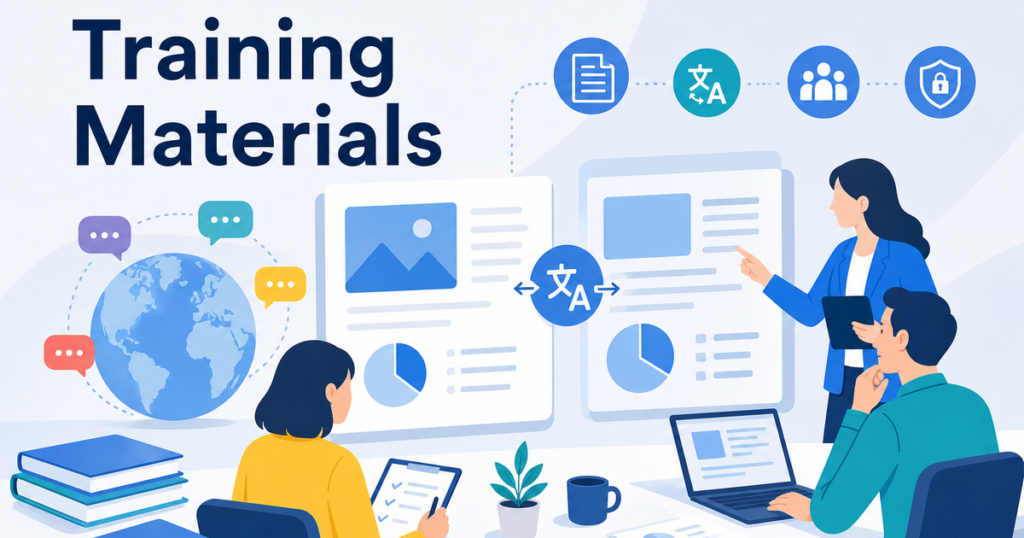

Customer training materials are the bridge between your product and the people who use it. When your customers speak different languages, that bridge needs to be built in every language they speak. Training decks, handouts, support articles, and onboarding guides all need to communicate clearly, consistently, and accurately across every market you serve.
Poorly translated training materials create a cascade of problems. Customers misunderstand features, support tickets increase, adoption slows, and your training team ends up answering the same questions repeatedly because the translated documentation did not land well.
This article covers how to translate customer training materials at scale while maintaining quality, consistency, and the instructional intent that makes training effective.
Types of Customer Training Materials
Customer training content comes in several formats, each with its own translation considerations:
Presentation Decks (PPTX)
Slide decks are used in live training sessions, webinars, and self-paced courses. They combine concise text with visuals, diagrams, and screenshots. Translating slide decks requires preserving the visual layout so that screenshots remain next to the correct text, step-by-step sequences stay in order, and speaker notes remain paired with their slides.
Handouts and Workbooks (DOCX/PDF)
Printed or downloadable handouts provide detailed walkthroughs, exercises, and reference tables. These documents often contain numbered steps, callout boxes, and formatted tables that must remain structurally intact after translation.
Support Articles and Knowledge Base Content
Online help articles and knowledge base posts are typically shorter but are updated more frequently. They need a translation process that can handle ongoing updates without requiring full retranslation of the entire article every time a sentence changes.
Video Scripts and Subtitles
If your training includes video content, you may need translated scripts for voiceover or subtitle files. This is a specialized translation task that requires attention to reading speed, screen space, and timing. While this article focuses on document translation, the principles of terminology consistency and review apply equally to video scripts.
Planning Your Training Translation Project
Assess Your Training Library
Before you start translating, catalog your existing training materials. List every course, deck, handout, and support article. For each item, note:
- The file format, whether it is PPTX, DOCX, PDF, or another format
- The approximate length and complexity
- How frequently the content is updated
- How many learners currently use it
- Whether it is required training or optional
This inventory helps you prioritize. Start with required training materials that serve the largest number of multilingual learners. These give you the highest return on translation effort and help you refine your workflow before tackling lower-priority content.
Set Realistic Timelines
Translation timelines depend on the volume of content, the number of languages, and the availability of reviewers. For your first translation cycle, allow extra time for glossary development and workflow setup. Subsequent cycles will be faster as your process matures.
A typical first translation cycle for a single course across three languages might take two to three weeks, including review. After the glossary and workflow are established, the same volume could be turned around in three to five days.
Challenges Specific to Training Material Translation
Instructional Precision
Training materials teach people how to do things. Every step in a procedure, every label on a screenshot, and every term in a glossary needs to be accurate. A translated instruction that says "click the right button" when the original says "click the left button" is not just a translation error. It is a training failure that can frustrate learners and waste support resources.
Visual Context
Training materials rely heavily on visuals. Screenshots show the interface the learner is supposed to interact with. Diagrams illustrate workflows. Icons represent functions. When you translate the text around these visuals, the relationship between the text and the image must stay clear.
If your product interface has been localized into the target language, consider updating screenshots to show the localized interface in the translated training materials. If the interface remains in English, make sure the translated text references English labels and button names correctly.
Accessibility Requirements
Training materials in many organizations need to meet accessibility standards. If your English materials include alt text for images, captions for videos, or structured headings for screen reader navigation, your translated versions should maintain these accessibility features.
Check that translated alt text is meaningful in the target language, not just a direct translation of English alt text that may not make sense out of context. Verify that heading structures used for screen reader navigation are preserved during translation.
Consistency Across a Curriculum
A single training course might include a slide deck, a participant workbook, and a set of support articles. All of these materials need to use the same terminology. If your slide deck translates "dashboard" one way and your workbook translates it differently, learners get confused.
Maintaining a shared glossary across all training materials in a course ensures that every document uses the same terms. This glossary should be applied every time you translate a new piece of content in the series.
Frequent Updates
Products change. Features get added. Interfaces get redesigned. Training materials need to keep up. When your English training content is updated, the translated versions need to be updated too.
This creates a version management challenge. You need a process that can identify which sections changed, translate only those updates, and integrate them into the existing translated document without introducing inconsistencies.
A Practical Translation Workflow for Training Materials
1. Create a Training Terminology Base
Before you translate anything, build a glossary of key terms that appear across your training materials. This should include:
- Product feature names and their approved translations
- User interface labels and menu items
- Technical terms specific to your product or industry
- Abbreviations and acronyms
This glossary becomes the foundation for consistent translation across every document in your training library. Enter it into your translation tool if glossary support is available, and share it with any human reviewers.
2. Organize Content by Priority
Not all training materials need translation at the same time. Prioritize based on:
- Customer impact: Start with the materials that affect the largest number of users or the most critical workflows.
- Update frequency: Materials that change often may need a different translation approach than stable content.
- Format complexity: Start with the format your translation tool handles best to build confidence in the workflow before tackling more complex documents.
3. Translate Using Format-Aware Tools
Upload your training documents to a translation tool that preserves formatting. For example, Jitan Translate supports PPTX, DOCX, PDF, and XLSX, which covers most training material formats.
The formatting preservation matters because it means your reviewers do not have to rebuild layouts after translation. A slide deck comes back as a slide deck, not as a flat text file that needs to be pasted back into PowerPoint slide by slide.
4. Conduct a Content and Context Review
Assign reviewers who understand both the language and the training content. Your reviewers should check:
- Accuracy of instructions: Do the translated steps match the actual user workflow?
- Terminology consistency: Does the translation use the same terms defined in your glossary?
- Screenshot alignment: Do translated text references match what is shown in the screenshots?
- Instructional tone: Does the translation maintain the helpful, encouraging tone of the original?
This review is where you catch the errors that matter most in a training context: steps that are out of order, labels that do not match the interface, and terms that are inconsistent with other course materials.
5. Update the Glossary Based on Review Feedback
Every review cycle is an opportunity to improve your glossary. When a reviewer corrects a term, add that correction to the shared glossary so future translations benefit from it. Over time, this reduces the number of corrections reviewers need to make and speeds up the entire process.
6. Manage Versions
Keep track of which version of the English original corresponds to each translated version. When the English content is updated, you can identify the changes and translate only the updated sections rather than retranslating the entire document.
Simple version tracking can be as straightforward as including the English version number in the translated file name, such as "Onboarding-Guide-v2.3-JA.docx."
Handling Different File Formats
PowerPoint Training Decks
Slide decks are often the most format-sensitive training material. Text boxes are positioned precisely, and longer translations can push content off the slide.
To minimize problems, design your original slides with translation in mind. Leave more white space than you think you need. Use larger text boxes that can accommodate significantly more text. Avoid cramming text into tight corners of diagrams.
When you translate the deck, review each slide visually to confirm that no text has overflowed its container. Pay special attention to slides with multiple text boxes, complex diagrams, or detailed tables.
Word Documents and PDFs
Handouts and reference guides in Word format generally translate well because the text flows naturally and formatting is stored as structural markup rather than fixed positioning.
PDF training materials can be more challenging, especially if they were designed with tight layouts. For more on the specific challenges of PDF translation, see this guide to translating PDFs without losing formatting.
Excel-Based Materials
Some training materials include exercise workbooks, data sets for hands-on activities, or scoring rubrics in Excel format. When translating these, confirm that formulas still work, data validation rules are intact, and any named ranges referenced in instructions still exist.
Building a Review Team
Effective training material review requires a combination of skills:
- Language proficiency in both source and target languages
- Product knowledge so the reviewer can verify that instructions match the actual product behavior
- Training experience so the reviewer understands how the content will be used in a learning context
In many organizations, the best reviewers are the local trainers or customer success managers who deliver training in the target language. They know the product, they know the learners, and they know the language. Equipping them with a clear review checklist and a shared glossary makes their review time more productive.
Scaling the Process
Once you have translated your first course successfully, you can apply the same process to your entire training library. Each translation cycle improves your glossary, trains your reviewers, and refines your workflow.
For organizations with large training libraries, consider translating materials in batches grouped by product area or customer segment. This keeps related terminology together and allows reviewers to stay in a consistent context across multiple documents.
Conclusion
Translating customer training materials requires more than converting words. It demands attention to instructional clarity, visual context, and terminology consistency across multiple document formats. By building a shared glossary, using format-aware translation tools, and conducting structured reviews with product-knowledgeable reviewers, you can create training materials that serve your multilingual customers as effectively as your English-speaking ones.
Start with your highest-impact training content, refine your workflow, and scale from there. Your customers, and your support team, will notice the difference.