
How to Translate Product Datasheets and Spec Sheets
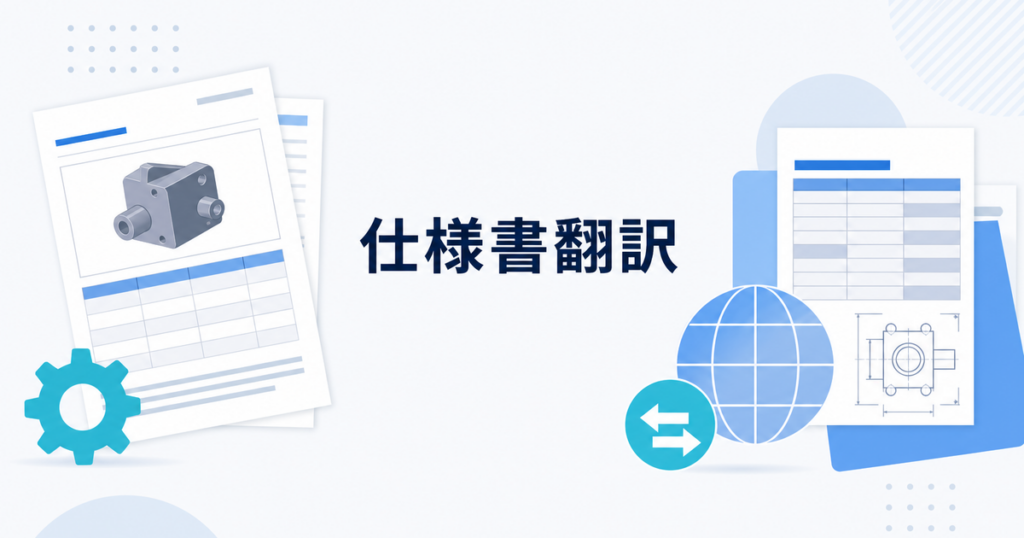
Product datasheets and specification sheets serve a specific purpose: they communicate technical details, performance characteristics, and product capabilities to buyers, engineers, and procurement teams. When your customers and partners operate in multiple languages, translating these documents accurately is not just a courtesy; it is a sales enablement necessity. An engineer in another country evaluating your product against a competitor's needs the same precise information as one reading the source language version.
This article covers how to translate datasheets and spec sheets while maintaining the precision and structure that technical audiences expect.
What Makes Datasheet Translation Unique
Datasheets differ from marketing materials and internal documents in important ways:
- Technical precision is non-negotiable: Specifications like dimensions, tolerances, operating temperatures, and material compositions must be translated exactly. An error in a tolerance range can lead to product returns, safety issues, or contract disputes that are expensive to resolve.
- Formatting carries meaning: Datasheets rely on tables, columns, and structured layouts to present dense information clearly. A translation that disrupts this structure makes the document harder to use and can cause readers to lose confidence in the product.
- Terminology is industry-specific: Mechanical engineering, electronics, chemical processing, and medical devices each have specialized vocabularies that do not translate well with general-purpose tools. An incorrect translation of a material specification can have safety implications.
- Symbols and abbreviations are universal: Some elements (mm, kg, V, A, IP ratings) should not be translated. Others (product names, feature descriptions) must be. Knowing which is which requires domain knowledge.
Types of Content in a Typical Datasheet
Understanding what needs translation and what does not starts with categorizing the content:
| Content Type | Translate? | Notes |
|---|---|---|
| Product name and model number | Usually no | Keep original identifiers for ordering consistency |
| Feature descriptions | Yes | Core marketing and technical content |
| Specification tables | Partially | Translate labels, keep values and units |
| Dimensional drawings | No | Universal visual language |
| Compliance certifications | Varies | Some certifications are language-specific |
| Safety warnings | Yes | High priority; requires careful review |
| Material descriptions | Yes | Industry-specific terminology |
| Application notes | Yes | Context-dependent, needs natural translation |
| Regulatory markings | No | Keep original certification marks and logos |
| Warranty and legal text | Yes | Legal review recommended |
Preparing Datasheets for Translation
Step 1: Create a Clean Source File
The quality of your translation depends on the quality of your source document:
- Use a structured format: Whether you work in Word, InDesign, or a publishing tool, ensure that tables are actual tables (not tab-aligned text) and that text is in text boxes (not embedded in images). Text embedded in images cannot be translated by document translation tools.
- Remove ambiguous language: If a specification says "approximately 50mm," clarify whether the source is "50mm nominal" or "approx. 50mm." Different languages handle approximation differently, and ambiguity in specs can lead to rejected shipments.
- Standardize units: If some specs use metric and others use imperial, standardize before translating. Mixing systems within a single datasheet creates confusion in any language.
- Document your abbreviations: Create a reference list of every abbreviation used in the datasheet so the translation process handles them consistently.
Step 2: Build a Technical Glossary
A technical glossary for datasheets should include:
- Industry-specific terms: Words like "tensile strength," "dielectric constant," "thermal conductivity," "flux density," or "surface roughness" need consistent translations across your product line.
- Product line terminology: Feature names, technology trademarks, and model naming conventions that should be handled the same way in every datasheet.
- Process and application terms: Words describing how the product is used, installed, or maintained.
- Regulatory terms: Names of standards organizations (ISO, IEC, UL, CE) and standard designations.
Resources like Google Cloud Translate glossaries allow you to upload custom term lists that enforce consistency across translations.
Step 3: Identify Non-Translatable Elements
Before running translation, clearly mark elements that should remain unchanged:
- Model numbers and part numbers
- Chemical formulas and material codes
- Numerical values and unit symbols (mm, kg, psi, V, W, dB)
- Standard designations (ISO 9001, IEC 60529, UL 94)
- Certification logos and marks
- Patent numbers and registration numbers
The Translation Workflow
Generate an AI-Assisted Draft
Upload your datasheet to a translation tool that supports your file format. For PDF datasheets, the tool converts the content, translates it, and produces a draft designed to preserve the original layout.
For structured documents like spec sheets with heavy table content, look for tools that handle tables well. The goal is to translate the text content while keeping the tabular structure intact so that the specification values remain aligned with their labels.
Review the Technical Content
After generating the draft, focus your review on the areas where errors matter most:
Specification accuracy: Compare every specification value in the translation against the source. Check that numbers have not shifted, units have not changed, and tolerances remain correct. This is a line-by-line comparison, not a spot check.
Terminology consistency: Check that technical terms are translated the same way throughout the document. "Operating temperature" should not become "working temperature" in one place and "functioning temperature" in another.
Table alignment: Verify that each specification value is still paired with the correct label after translation. When label text changes length in translation, it can cause alignment shifts in tight table layouts. A misaligned specification value next to the wrong label is a serious error.
Completeness: Ensure all pages, sections, and content elements were included. Multi-page datasheets sometimes have content on back pages or in footers that gets missed.
Review the Marketing and Descriptive Content
Datasheets often include feature descriptions and application notes that are more narrative than tabular. These sections need a different kind of review:
- Clarity: Does the translated description make sense to a reader in the target market?
- Tone: Does it sound professional and technically competent?
- Cultural fit: Are examples and comparisons relevant to the target market?
For layout considerations when translating documents with mixed technical and narrative content, see how to translate PDF files without losing formatting.
Handling Multi-Product Datasheets
Some datasheets cover an entire product family, with comparison tables that span multiple models. These require extra attention:
- Comparison table columns: Ensure each model's specifications stay in the correct column after translation. A column shift puts the wrong specs next to the wrong model.
- Footnotes: Datasheets often use footnotes to qualify specifications. Make sure footnotes are translated and that footnote markers in the main table still link to the correct footnote text.
- Product variants: If your product line has variants with minor specification differences, verify that these distinctions are preserved in translation.
Managing Updates and Revisions
Product specifications change. Materials get updated, dimensions get revised, and new certifications are earned. Your translation process needs to keep up.
Revision Tracking
Use clear versioning for both source and translated documents:
“ ProductX_Datasheet_v3.1_EN.pdf ProductX_Datasheet_v3.1_JA_AI-draft.pdf ProductX_Datasheet_v3.1_JA_final.pdf “
When the source gets updated to v3.2, you can immediately see which translations are out of date.
Change-Based Updates
For minor changes (a single specification update, a new certification mark), you do not need to retranslate the entire document. Instead:
- Identify the changed section in the source.
- Translate only that section.
- Insert the updated translation into the existing translated document.
- Review the surrounding context to ensure consistency.
For major revisions (redesigned layout, new sections, restructured tables), retranslate the full document to avoid inconsistencies between old and new sections.
Regulatory and Safety Content
Datasheets for products sold in regulated industries (medical devices, electrical equipment, chemicals, food processing) often include regulatory information that has specific translation requirements:
- Safety warnings: These should be reviewed carefully. In some jurisdictions, safety warnings must follow prescribed formats and use specific language. Confirm what applies to your product and target market.
- Compliance statements: Claims about regulatory compliance should be verified by someone familiar with the target market's requirements. A compliance claim that is valid in the US may not apply in the EU.
- Certification references: Ensure that referenced standards and certifications are valid and correctly stated in the translated document.
For safety-critical content, AI-assisted translation should be treated as a draft step, with review by someone who understands the product, the target language, and the applicable safety context. Reference OSHA resources for US workplace safety requirements and consult local regulations for other markets.
Practical Tips for Product Teams
- Translate your most-requested datasheets first: Check which products generate the most inquiries from non-English-speaking markets and prioritize those. Your sales team can tell you which products customers ask about most.
- Keep source and translations side by side: When possible, maintain bilingual datasheets for key products so engineers can reference both versions when they need to verify a specification.
- Test with a native-speaking engineer: Have someone who works in the target language and understands the technical domain review the translation. Their feedback is more valuable than a general language review because they can catch technically incorrect translations.
- Automate what you can: If you produce datasheets regularly, set up a workflow where new or updated datasheets automatically go through the translation process rather than relying on manual triggers that get forgotten.
- Archive old versions: Keep previous versions of translated datasheets available. Customers with older product revisions may still need documentation, and you may need to reference what was previously published.
Working With File Formats
Datasheets come in various formats, and each has translation considerations:
- PDF: Most common for distribution. Translation tools that handle PDF can produce a draft designed to preserve layout. Review formatting carefully after translation.
- DOCX: Easier to translate and edit. If your source is in Word, consider maintaining a DOCX master that gets exported to PDF for distribution.
- PPTX: Some product teams use PowerPoint for datasheets, especially when presenting at trade shows. Translate all text elements including charts and tables.
- XLSX: Specification databases in Excel are common. Translate labels and descriptions while keeping numerical data untouched.
Coordinating Translation With Your Sales Team
Your sales team is often the first to know when a customer needs a datasheet in another language. Build a process that connects sales requests to your translation workflow:
- Maintain a translation request queue where sales can flag which datasheets are needed in which languages.
- Track which datasheets have been requested most often to identify patterns. If customers in a specific market repeatedly ask for the same product datasheet, proactively translate it rather than responding reactively each time.
- Share the translated datasheets with sales in a centralized location so they can find and distribute them without asking the translation team each time.
- Gather sales feedback on translated datasheets. Sales engineers who work directly with customers can tell you whether the translations are clear enough to support a technical evaluation.
Handling Competitive Comparison Tables
Many datasheets include competitive comparison tables that position your product against alternatives. When translating these:
- Verify that competitor product names and specifications are translated accurately. Misrepresenting a competitor's specifications, even unintentionally through translation error, can create legal issues.
- Ensure that comparison criteria are translated consistently between your product's column and the competitors' columns.
- Have a legal reviewer check any comparative claims to confirm they remain accurate and compliant in the target market.
Summary
Translating product datasheets and spec sheets requires attention to technical accuracy, terminology consistency, and layout preservation. Prepare your source documents carefully with clear structure and standardized terminology. Use AI-assisted translation to generate drafts efficiently, then review with a focus on specification accuracy, table alignment, and completeness. Build a technical glossary for ongoing consistency, and connect your translation process to your product revision cycle so translated datasheets stay current. With the right workflow, you can produce multilingual datasheets that meet the expectations of technical audiences in every market.