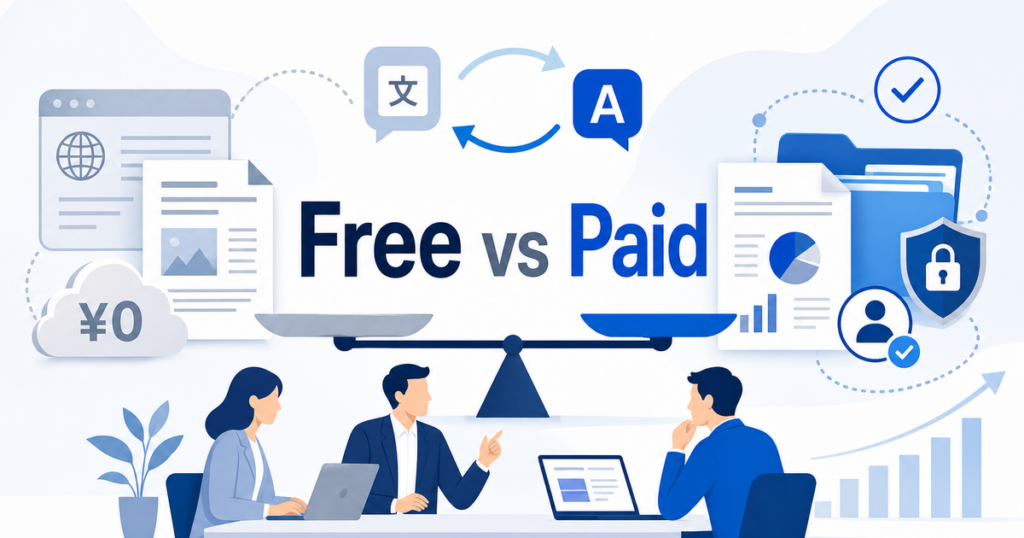

Free translation tools are tempting. Paste your text, get a translation, done. No budget approval, no procurement process, no recurring expense. For a quick check of a single paragraph, free tools work fine. But for business documents — contracts, proposals, manuals, reports — the limitations add up fast.
This article compares free and paid AI translation tools specifically for business document workflows, so you can decide where to save money and where to invest.
What Free Translation Tools Offer
Free translation tools fall into two categories: web-based text translators and free-tier access to commercial APIs.
Web-Based Text Translators
Google Translate's web interface is the most well-known free option. You paste text or upload a document, select the language pair, and get a translation. Microsoft Translator offers a similar free web experience.
Source: Google Translate Help
These tools are useful for quick, informal translation. Reading an email from a foreign colleague, checking the gist of a document, translating a few paragraphs of website content — free web translators handle these tasks adequately.
Free-Tier API Access
Several commercial translation services offer free tiers. Google Cloud Translation has a free monthly allowance. Azure AI Translator provides a free tier with character limits. DeepL offers a free API tier with usage restrictions.
These free tiers are generous enough for individual developers and small projects. They let you test the API, build a prototype, or handle low-volume translation needs without paying anything.
Where Free Tools Fall Short for Business Use
The limitations of free translation tools become apparent when you use them for real business documents at scale.
File Format Support
Free web translators have limited file format support. Google Translate's document feature supports some file formats, but complex layouts, tables, headers, footers, and brand-sensitive formatting may still need cleanup after translation. For a business document where layout matters — a branded proposal, a formatted report, a slide deck — free tools often leave formatting work for the user.
Free API tiers handle plain text and sometimes HTML. They do not process Word, PowerPoint, or Excel files directly. You would need to extract text, translate it, and reinsert it into the original document manually, which is tedious and error-prone for anything beyond a few pages.
Volume Limits
Free tiers have character or request limits. Google Cloud Translation's free tier, for example, has a monthly character allowance. For a business translating thousands of pages per month, the free tier runs out quickly. Once you exceed it, you either pay or stop translating.
No Terminology Control
Free tiers typically do not support custom glossaries. This means you cannot tell the engine to keep your product names untranslated or to use specific translations for industry terms. For business documents where terminology consistency matters, this is a significant gap.
Source: Google Cloud Translation glossary feature (available in paid Advanced edition)
Privacy and Data Handling
Free translation tools may store and log your translations. When you paste a confidential contract into a free web translator, that text may be used to improve the service or stored in logs. For sensitive business documents, this creates a data governance risk.
Paid tiers and enterprise plans typically offer clearer data handling commitments, including promises not to store or train on your content. If your documents contain confidential information, the privacy question alone may justify the cost of a paid tool.
No Batch Processing
Free web tools translate one document at a time. Free API tiers may have rate limits that make batch processing impractical. For a business that needs to translate 50 documents over a weekend, the lack of batch processing capability is a real constraint.
What Paid Translation Tools Offer
Paid translation tools address the limitations above and add features designed for business workflows.
Full Document Translation With Layout Preservation
Paid tools — both subscription services and API-based platforms — handle complete documents in their native formats. Word files stay as Word files. PowerPoint decks keep their slide layouts. Excel spreadsheets retain their structure. The translated output is designed to preserve the original formatting, though some manual review may still be needed for complex layouts.
DeepL Pro, for example, supports document translation across Word, PowerPoint, Excel, and PDF with formatting preservation.
Source: DeepL supported file formats
Azure AI Translator's document translation service processes files in batch while maintaining the original document structure and format.
Source: Azure AI Translator document translation overview
Custom Glossaries and Terminology
Paid tiers unlock glossary features. You can define how product names, technical terms, and brand language should be handled, and the translation engine applies these rules consistently across every document.
This is the feature that most distinguishes paid translation from free for business users. Without glossary control, every document may translate your key terms differently, leading to inconsistent output that requires manual correction.
Higher Volume and Rate Limits
Paid plans remove or significantly raise the volume limits that constrain free tiers. For businesses with ongoing translation needs, this removes the ceiling on how much you can process.
API Access for Workflow Integration
Paid tiers provide full API access, which lets you integrate translation into your existing tools and processes. Instead of manually uploading files to a website, you can build translation into your content management system, your document workflow, or your CI/CD pipeline.
Source: DeepL API reference
Priority Processing and Support
Paid plans often include priority processing (faster turnaround for large documents) and access to technical support. For business-critical translation workflows, having a support channel when something goes wrong is valuable.
The Middle Ground: Dedicated Document Translation Platforms
Between free web tools and enterprise API subscriptions, there is a category of dedicated document translation platforms designed specifically for business document workflows.
Platforms like Jitan Translate focus on the file formats businesses actually use — PDF, DOCX, PPTX, XLSX — and handle the full document translation process with layout preservation. They occupy a practical middle ground: more capable than free web tools for document workflows, more accessible than building a custom API integration.
For teams that need to translate business documents regularly but do not have the technical resources to set up and maintain an API-based translation pipeline, this middle-ground option is often the most practical choice.
A Realistic Upgrade Path
Most businesses follow a predictable path from free to paid translation tools. Understanding this path helps you plan your upgrade rather than being forced into it by a crisis:
Stage 1: Ad hoc free tools. A few team members paste text into Google Translate for quick checks. No formal process. Works for a team of five that rarely interacts with non-English content.
Stage 2: Free tools hit limits. The team grows, or a project requires translating multiple formatted documents. Someone spends an entire afternoon reformatting a translated Word file. The pain of manual formatting becomes visible.
Stage 3: Dedicated tool adoption. The team adopts a document translation platform that handles more formatting inside the workflow. Translation volume increases because the workflow friction is lower. Glossaries get created. Quality improves.
Stage 4: API integration. For teams with developer resources, the next step is API integration — connecting translation directly to content management systems or document workflows for automatic processing.
Most teams do not need to jump to Stage 4. Stage 3 solves the problems that cause the most pain at a cost that is manageable for most budgets.
Comparing Options by Use Case
Occasional Quick Translation
Need: Translate a paragraph or two, understand the gist of a document. Best fit: Free web tools (Google Translate, Microsoft Translator). Cost: Free. Limitation: No formatting preservation, no glossary, not suitable for external use.
Regular Document Translation (Moderate Volume)
Need: Translate formatted documents (Word, PowerPoint, PDF) several times per month with layout preservation. Best fit: Dedicated document translation platform or a paid subscription to a translation service. Cost: Subscription or per-document pricing. Advantage: Format preservation, glossary support, consistent quality.
High-Volume Batch Translation
Need: Translate dozens or hundreds of documents on a regular basis, integrated with a content management system or workflow. Best fit: Paid API tier with custom integration or a translation management system. Cost: Per-character pricing plus integration development. Advantage: Automation, scalability, full glossary and terminology control.
Enterprise Translation With Compliance Requirements
Need: Large-scale translation with data residency requirements, audit trails, and compliance controls. Best fit: Enterprise translation platform with SLAs and compliance certifications. Cost: Enterprise licensing. Advantage: Data governance, compliance features, dedicated support, custom models.
Hidden Costs of "Free" Translation
Free translation tools have costs that do not show up on a budget line but impact your business:
- Employee time: Manually copy-pasting text, reformatting translated documents, and fixing formatting issues takes real time. That time has a cost.
- Quality rework: Inconsistent translations from free tools may require human review and correction. The rework cost can exceed what a paid tool would have cost in the first place.
- Brand risk: A poorly translated client-facing document damages credibility. The reputational cost of a bad translation is hard to quantify but real.
- Security risk: Pasting confidential content into free web tools creates data exposure risk. The cost of a data breach, however unlikely, vastly exceeds any translation tool subscription.
When to Upgrade From Free to Paid
Many teams start with free tools and upgrade when they hit a wall. Here are the signs that it is time to move to a paid solution:
- You are reformatting translated documents manually. If formatting cleanup is a recurring task, a paid workflow with stronger layout handling may be worth evaluating against the time your team spends fixing documents manually.
- You see inconsistent terminology across documents. The same product name is translated three different ways in three documents. A glossary-enabled paid tool prevents this.
- You avoid translating documents because the free tool workflow is too cumbersome. If the friction of free tools is causing your team to skip translation altogether, the cost of missed communication exceeds the cost of a paid tool.
- Someone raised concerns about pasting confidential content into a free web tool. This is a compliance issue, not just a preference. If your legal or security team has flagged it, the decision is made.
- Your translation volume, turnaround time, terminology consistency, or formatting requirements exceed what free tools handle. When your team's workflow friction, quality standards, or compliance needs surpass what free tools can deliver, a paid workflow becomes worth considering.
Calculating the True Cost
To make a clear-eyed decision, calculate your true translation cost including all the hidden expenses:
- Tool cost: Subscription or per-document fees (zero for free tools).
- Labor cost for formatting: Time spent reformatting documents after free translation.
- Labor cost for terminology correction: Time spent fixing inconsistent terms.
- Rework cost: Time spent redoing translations that were unusable.
- Opportunity cost: Content that goes untranslated because the workflow is too painful.
Add those up, and compare against the all-in cost of a paid tool. In most cases, the paid tool is cheaper at any volume above a handful of documents per month.
Making the Decision
Start by honestly assessing your actual translation needs:
- How many documents per month?
- What file formats?
- Do you need layout preservation?
- Do you have terminology that needs to stay consistent?
- Does your content contain confidential information?
If your answers are "a few, plain text, no, no, no," free tools may be sufficient. If you answered yes to layout preservation, terminology consistency, or confidentiality, you are in paid tool territory.
The gap between free and paid is not incremental. Paid tools provide a fundamentally different capability — full document processing, terminology control, and data handling assurances that free tools simply do not offer. For organizations with ongoing translation needs, the productivity gain from paid tools often justifies the cost within the first month.
For more on choosing a translation platform, this guide to translating PDFs without losing formatting explains what to look for in a document translation tool.