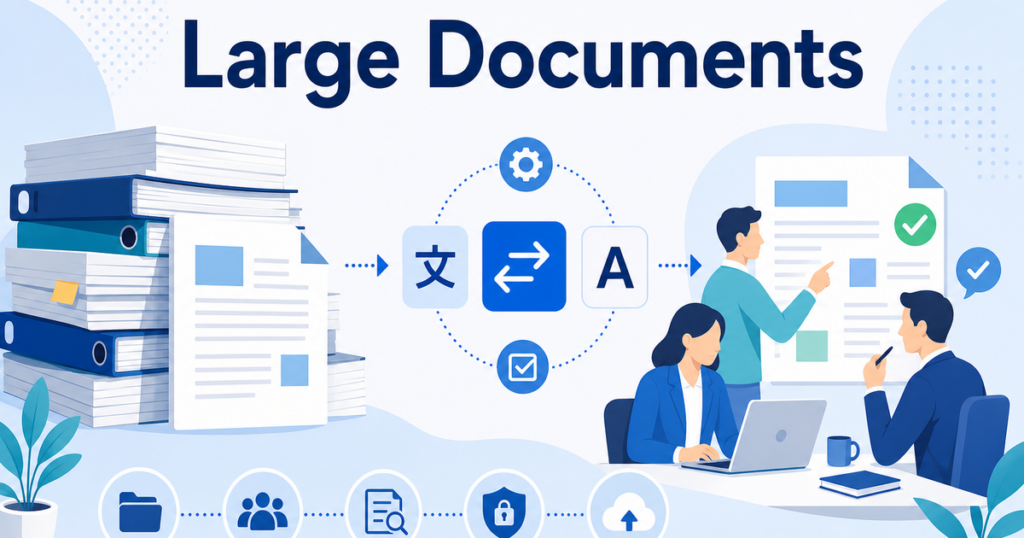

Translating a two-page memo is straightforward. Translating a 200-page policy manual, a 150-page product catalog, or a 300-page technical specification is a different challenge entirely. Large documents introduce problems with consistency, file handling, review tracking, and version management that small documents never trigger.
This article lays out a practical workflow for translating large business documents — from initial preparation through final delivery.
Define "Large" First
A large document in the translation context is one that exceeds what a single person can comfortably translate and review in one session. In practice, that means anything over roughly 30 pages. At that threshold, you start dealing with terminology consistency across sections, file size limits in translation tools, and the need to track progress across multiple reviewers.
Very large documents — anything over 100 pages — add another layer of complexity. They often have multiple authors, sections with different formatting, embedded tables and images, and appendices that may or may not need translation. Treating a 200-page document the same way you treat a 10-page one is a recipe for inconsistent output.
Phase 1: Preparation Before Translation
The work you do before translation starts has more impact on quality than anything that happens during translation. Skipping preparation is the single most common mistake in large document translation projects.
Audit the Document
Read through the document and answer these questions:
- Which sections need translation and which can stay in the source language?
- Are there embedded images with text that needs translation?
- Do tables, charts, or graphs contain translatable content?
- Are there footnotes, endnotes, or sidebar text?
- Which appendices are essential and which are supplementary?
Mark up the document so the translation team knows exactly what needs attention. This prevents both over-translation (wasting budget on content that does not need it) and under-translation (missing content that does).
Clean Up the Source File
Before sending anything to a translation engine, clean the source file. Remove tracked changes, accept all revisions, delete comments, and standardize formatting. A messy source file produces a messy translation.
Specifically:
- Resolve all tracked changes.
- Delete reviewer comments.
- Remove hidden text and metadata you do not want translated.
- Standardize heading styles (H1, H2, H3) so they are consistent throughout.
- Check that all text is actually text and not images of text.
Build the Glossary
For large documents, a glossary is not optional. Create one before translation begins. Include every term that needs to be translated the same way every time: product names, technical terms, acronyms, department names, legal terms, and brand-specific language.
If you are using a translation tool or API that supports custom glossaries — DeepL, Azure AI Translator, and Google Cloud Translation all do — load the glossary before you start. If you are using a document translation platform, check whether it supports custom terminology.
Phase 2: Translation Strategy
How you handle the actual translation depends on the document size, your quality requirements, and your tools.
Whole-File Translation vs Chunking
For documents under 50 pages, translate the whole file at once. This gives the AI engine the most context, which produces better output.
For documents over 50 pages, consider chunking — splitting the document into logical sections and translating each one separately. Chunking has tradeoffs:
- Advantage: Easier to manage, easier to distribute among reviewers, and you can start reviewing early sections while later sections are still translating.
- Disadvantage: The AI engine loses cross-section context, which can lead to inconsistent terminology or tone between chunks.
If you chunk, keep sections as large as possible while staying within your tool's limits. Do not split a document into 50 two-page chunks. Split it into four or five logical sections based on chapters or major headings.
Handling File Format Issues
Large documents often contain complex formatting that translation tools struggle with. Here is what to watch for:
- PowerPoint files: Text boxes, grouped objects, and embedded fonts can cause layout issues after translation. Check that your translation tool handles these correctly.
- Excel files: Multiple sheets, named ranges, and formula-linked cells need careful handling. Make sure the translation tool knows which cells contain translatable text and which contain formulas or codes.
- Word files: Headers, footers, text boxes, tables of contents, and cross-references can all cause issues. Test with a small section first if you are unsure how your tool handles them.
Document translation platforms like Jitan Translate are designed to handle these format complexities. They translate PDF, DOCX, PPTX, and XLSX files and are designed to preserve layout, which is especially important for large documents where manual reformatting would be extremely time-consuming. Review is still recommended for complex layouts.
Phase 3: Review and Post-Editing
For large documents, the review process needs structure. Ad hoc review — where someone just reads through and fixes things — does not scale.
Assign Sections to Specific Reviewers
Divide the document among reviewers by section. Each reviewer owns their sections and is responsible for terminology consistency within them. This is faster than having one person review everything and produces better results than having multiple people review the same sections independently.
Use a Shared Glossary During Review
Make sure all reviewers have access to the same glossary. When a reviewer finds a terminology error, they correct it and flag it for glossary update. A centralized glossary prevents different reviewers from translating the same term differently.
Track Changes Systematically
Use tracked changes in Word, comments in PowerPoint, or a dedicated review tool. Every correction should be visible and traceable. This is essential for:
- Quality auditing later.
- Identifying patterns in AI translation errors.
- Training the glossary for future translations.
- Resolving disagreements about translations.
Do a Consistency Pass
After individual section reviews, do one more pass focused specifically on consistency. Check that the same term is translated the same way throughout the document, that headings follow a consistent style, and that cross-references are correct. Individual reviewers focus on their sections. The consistency pass catches problems between sections.
Phase 4: File Version Management
Large document translation projects generate many files. A clear versioning system prevents confusion.
Naming Conventions
Use a consistent naming convention that includes:
- The document name or code.
- The language pair.
- The version number.
- The stage in the process.
For example: ProductManual_EN-JA_v2_MT-postedit.docx tells you the document name, language direction, version, and that this is the post-edited machine translation.
Track the Translation Pipeline
Know where every document is in the pipeline. Is it waiting for translation? Being reviewed? Ready for final approval? A simple spreadsheet or project management board works for small volumes. For ongoing translation of many large documents, a translation management system becomes worthwhile.
Archive Source and Output Files
Keep both the source file and the final translated file in an archive. Future translations benefit from having reference material — the glossary gets updated, and the aligned source-target pairs can serve as training data for custom translation models.
Common Pitfalls for Large Documents
Ignoring the Table of Contents and Cross-References
In Word documents, the table of contents, cross-references, and index entries may not translate correctly if they are auto-generated fields. After translation, update these fields and verify that page numbers and section references are correct.
Forgetting Embedded Content
Images with text, charts with labels, headers and footers, watermarks, and embedded objects are easy to miss during translation. Go through the document systematically and check every element, not just the main body text.
Not Budgeting Enough Review Time
Review takes longer than people expect. For a 200-page document, even light post-editing at 2,500 words per hour means roughly 16 hours of review time. Plan for it. Rushed review on a large document is worse than no review because it creates a false sense of quality.
Skipping the Final Proofread
After all the editing and reformatting, do one final read-through. This catches the typos introduced during editing, formatting artifacts from the translation process, and any remaining inconsistencies. It is the last line of defense before the document goes to its audience.
When to Use Professional Translation Services
For very large, high-stakes documents — annual reports, regulatory submissions, patent filings — consider engaging a professional translation service. They bring project management expertise, dedicated reviewer teams, and quality assurance processes that are hard to replicate with an internal team.
For documents that are large but moderate-stakes — internal manuals, training materials, operational documentation — an AI translation plus structured internal post-editing workflow is usually the most cost-effective approach.
Tools That Help
The right tools make large document translation dramatically more efficient:
- Document translation platforms: Handle the file translation with layout preservation. Jitan Translate supports PDF, DOCX, PPTX, and XLSX.
- Glossary management: DeepL, Azure, and Google Cloud all support custom glossaries. Use them.
- Review and collaboration: Word's tracked changes, Google Docs' suggestion mode, or a dedicated TMS for larger volumes.
- Project tracking: A spreadsheet for small projects, a TMS or project management tool for ongoing work.
Timeline Planning for Large Documents
One of the biggest mistakes in large document translation is underestimating how long the process takes. Here is a realistic timeline framework for a 100-page document:
Day 1: Preparation. Audit the document, clean the source file, build or update the glossary. This takes 2-4 hours for a 100-page document if you are starting from scratch. Less if you have an existing glossary.
Day 2: Translation. AI translation typically completes within hours for a 100-page document, depending on the tool and queue. Build in buffer time for tool errors or file format issues.
Days 3-5: Post-editing review. For light post-editing at 2,500 words per hour, a 100-page document (roughly 25,000 words) needs about 10 hours of editor time. Spread across two or three editors working in parallel, this takes 2-3 days.
Day 6: Consistency pass and final proofread. One person reads through the complete document looking for cross-section inconsistencies and remaining errors. Budget 4-6 hours for this.
Day 7: Final formatting check and delivery. Verify page numbers, table of contents, cross-references, and any embedded content. Apply final formatting touches.
This 7-day timeline is realistic for a moderate-priority 100-page document. Rush timelines compress this but increase the risk of errors. Build the timeline upfront, communicate it to stakeholders, and resist the pressure to skip steps.
Automation Opportunities
For teams that translate large documents regularly, automation reduces both time and error rates:
- Glossary auto-loading: Configure your translation tool to automatically load the correct glossary based on the document type or language pair.
- Pre-translation quality checks: Scripts that scan source documents for common issues (unresolved tracked changes, images of text instead of actual text) before translation begins.
- Post-translation terminology validation: Automated comparison of translated output against the glossary to flag terms that were not handled according to your rules.
- Version tracking integration: Tools that automatically name and file translated versions according to your naming convention.
These automations take time to set up but can become worthwhile when you are processing large documents on a regular basis.
Starting Your Next Large Document Translation
Before you start your next large translation project, spend time on preparation. Audit the document, clean the source file, and build a glossary. That preparation can reduce review time and produce noticeably better output.
If you need to handle complex file formats with layout preservation, this guide to translating PDFs without losing formatting explains what to look for in a translation platform — the same principles apply to Word, PowerPoint, and Excel files.