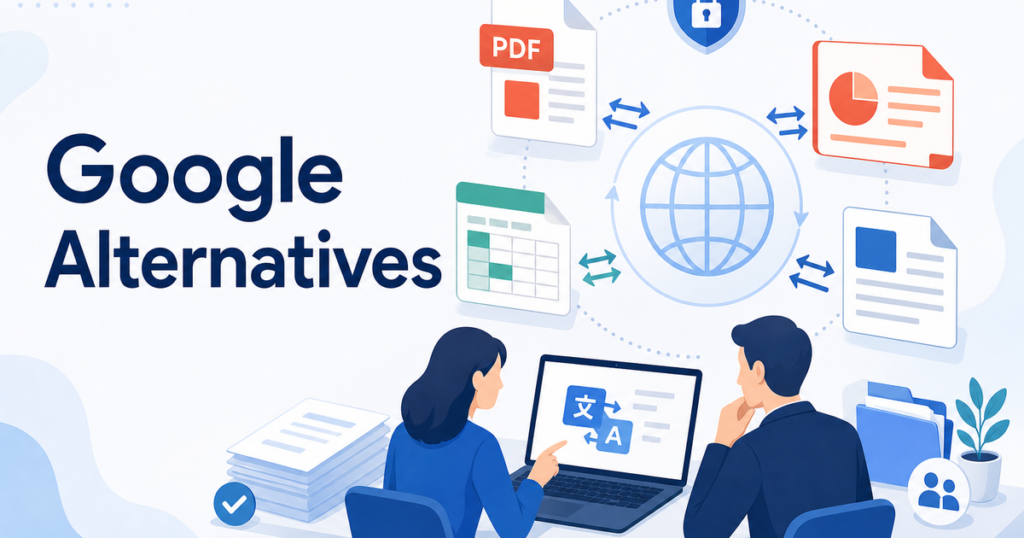

Google Translate is the tool most people think of first for translation. It is free, fast, and supports a wide range of languages. For casual use, like translating a short email or understanding a web page, it works well.
But when you need to translate business documents, things get more complicated. PDFs break. PowerPoint slides lose their formatting. Excel formulas get overwritten. Word documents come back looking nothing like the original. And you cannot apply a glossary of your company's terms or process a batch of files at once.
This article explains when you need alternatives to Google Translate for document work and what to look for when choosing one.
Where Google Translate Falls Short for Documents
Google Translate does offer a document translation feature. You can upload a DOCX, PDF, PPTX, or XLSX file, and it will return a translated version. The service is documented on Google's support pages.
Source: https://support.google.com/translate/answer/2534559
However, several limitations become apparent when you use it for business documents regularly:
Formatting Loss
Google Translate's document translation does not reliably preserve complex formatting. Tables may lose their column alignment. Images can shift position. Headers and footers may disappear. Custom fonts get replaced. For a document where layout matters, like a proposal or a training manual, this means spending time rebuilding the formatting after translation.
The problem is especially acute with PDF files. Because PDF is a fixed-layout format, text expansion from translation causes overlapping elements, cut-off text, and pages that look broken. For more on why PDFs are particularly challenging, see this guide to translating PDFs without losing formatting.
No Glossary or Custom Terms
Every business has terminology that needs consistent handling. Product names, technical terms, industry-specific language, and company-specific expressions should be translated the same way every time they appear.
Google Translate does not support custom glossaries for document translation. This means the same term might be translated differently on page 1 and page 10 of the same document. For a product manual or a contract, this inconsistency creates confusion.
No Batch Processing
If you need to translate a package of documents, such as a proposal with a Word narrative, an Excel pricing sheet, and a PowerPoint overview, Google Translate requires you to process each file individually. There is no way to upload them together, apply the same settings, and download them as a set.
For a business that translates document packages regularly, this adds significant overhead to the process.
Limited Review Workflow
Google Translate gives you the translated file but no tools for reviewing or editing it. You cannot see the source and translation side by side, track changes, or collaborate with a reviewer within the tool. The review happens entirely outside the platform, using whatever document editor you have.
Data Handling Considerations
Google Translate's terms of service allow Google to use submitted content to improve its services. For casual content this is irrelevant, but for business documents containing proprietary information, financial data, or personal details, this may not be acceptable.
When You Need an Alternative
Not every document translation requires a tool beyond Google Translate. If you need a quick, rough translation of a short document and formatting does not matter, Google Translate works fine.
You should consider alternatives when:
- Your document has complex formatting, including tables, multi-column layouts, or embedded images, that must be preserved
- You translate documents regularly and need a consistent, repeatable process
- You have specific terminology that needs to be handled consistently across documents
- You need to translate batches of related documents as a set
- Your documents contain sensitive business information that you prefer not to submit to a free consumer service
- You need to produce translated documents that are presentable to clients or partners without additional formatting work
Understanding the Total Cost of Translation
When comparing tools, it is tempting to focus on the subscription price or per-document fee. But the total cost of translation includes several components:
- Tool cost: The subscription or per-use fee for the translation service
- Reformatting time: The labor cost of fixing formatting after translation if the tool does not preserve it
- Review time: The time your bilingual team members spend reviewing and correcting the translation
- Turnaround time: The delay between submitting a document and having a finished, reviewed translation ready for use
A free tool that requires an hour of reformatting per document is more expensive in practice than a paid tool that produces formatted output you can review immediately. Calculate the total cost per document, including your team's time, to make a fair comparison.
For businesses that translate formatted documents regularly, the value of a dedicated document translation tool depends on the time spent fixing layouts, the importance of terminology consistency, and the review standards required for each document.
What to Look for in an Alternative
Format-Aware Translation
The most important differentiator is whether the tool preserves your document's formatting during translation. Format-aware tools understand the structure of DOCX, PDF, PPTX, and XLSX files. They know which text is a table header, which is a bullet point, and which is a figure caption. This structural understanding allows them to produce translated documents that are closer to the original structure, with final layout review still recommended.
When evaluating alternatives, test with a document that has tables, images, headers, footers, and varied font sizes. Compare the output to the original and see how much reformatting would be needed.
Glossary and Custom Term Support
Look for tools that allow you to create and maintain a glossary of terms. This feature lets you specify how product names, technical terms, and company-specific language should be translated. A good glossary system applies your terms consistently across all documents and can grow over time as you add more entries.
Even a small glossary of thirty to fifty key terms makes a noticeable difference in translation consistency, especially when you translate multiple related documents.
Multi-Format Support
If your work involves more than one file format, choose a tool that handles all the formats you need. This is not just about convenience. When the same translation engine and glossary process your Word documents, Excel spreadsheets, PowerPoint decks, and PDFs, terminology stays consistent across the entire document package.
Tools like Jitan Translate support DOCX, PDF, PPTX, and XLSX within a single workflow, which helps maintain consistency when your document package spans multiple formats.
Translation Quality for Your Industry
Different translation engines have different strengths. Some produce more natural-sounding marketing copy. Others handle technical content more precisely. The quality also varies by language pair. A tool that produces excellent English-to-Spanish translations may produce less fluent English-to-Korean output.
Test any alternative with sample content from your actual industry. A generic quality comparison may not reflect how the tool performs on your specific documents. If you work in a specialized field like healthcare, engineering, or finance, look for tools that perform well on technical content with industry-specific terminology.
Batch Processing
For businesses that translate document sets, batch processing is a significant time saver. Being able to upload multiple files, apply the same glossary and settings, and download the complete set of translated documents is far more efficient than processing files one at a time.
Security and Data Handling
Check how each alternative handles your documents. Key questions include:
- Are documents stored after translation, and if so, for how long?
- Is your content used to train AI models?
- Can you delete your documents from the provider's systems?
- What security certifications or encryption standards does the provider use?
For businesses that translate contracts, financial documents, or employee records, data handling practices may be the deciding factor between tools that are otherwise comparable.
The FTC's vendor security guidance offers a framework for evaluating these questions.
Source: https://www.ftc.gov/business-guidance/small-businesses/cybersecurity/vendor-security
Review-Friendly Output
Some tools produce translations that are easy to review and edit. This might mean side-by-side views, editable output formats, or integration with review platforms. Others produce a finished file that you review in your standard document editor.
Neither approach is inherently better. The right choice depends on how your team prefers to work. If you have a bilingual reviewer who is comfortable editing documents in Word or PowerPoint, a tool that produces clean formatted files may be all you need. If your review process is more collaborative, look for tools that support multi-user review workflows.
How Alternatives Compare on Specific Formats
PDF Files
PDF translation is the most format-sensitive use case. Because PDF is a fixed-layout format, translated text that is longer than the original causes immediate layout problems.
Alternatives that specialize in document translation typically handle PDF formatting better than general-purpose translation tools. They use layout analysis to understand the document structure and place translated text in a way that preserves the original appearance.
For scanned PDFs, OCR capability matters. A tool that combines OCR with translation can handle image-based PDFs that general translation tools cannot process.
Word Documents
DOCX files are generally the easiest format to translate because Word documents use flowing text layouts rather than fixed positioning. Most translation tools handle DOCX well.
The main differentiator for Word documents is how well the tool preserves styles, headers, footers, tables of contents, and cross-references. A tool that strips these elements forces you to rebuild them after translation.
PowerPoint Presentations
PPTX translation is challenging because slide space is limited and text boxes are positioned precisely. Translated text that is longer than the original overflows slide boundaries or overlaps other elements.
Alternatives that understand PowerPoint formatting can adjust text box sizing or flag slides where translated text does not fit. This is a level of format awareness that general translation tools typically lack.
Excel Spreadsheets
XLSX translation needs to preserve formulas, data validation rules, named ranges, and cell formatting. Some translation tools overwrite formulas with static values, which breaks any calculations built into the spreadsheet.
For pricing tables, financial models, or data sets, a tool that preserves Excel structure is essential. Verify this specifically when evaluating alternatives, because formula preservation is not a universal feature.
Building a Translation Workflow That Scales
Once you select an alternative that meets your needs, establish a repeatable workflow:
- Create your glossary: Start with your most important terms and expand it over time.
- Define your review process: Decide who reviews translations and what checklist they use.
- Test with real documents: Run your first few translations through the full workflow and refine based on results.
- Document your process: Write down the steps so anyone on your team can translate a document without tribal knowledge.
This process investment pays off quickly. After the first few translations, the workflow becomes routine, and the time per document drops significantly.
Conclusion
Google Translate is a useful tool for quick, casual translation. But for business documents where formatting, terminology, and security matter, alternatives offer meaningful advantages. Format-aware translation, glossary support, batch processing, and controlled data handling are features that justify choosing a dedicated document translation tool.
Evaluate alternatives based on your actual documents and workflow rather than feature lists alone. Test with the formats you use, check formatting preservation with your most complex documents, and compare the total cost including the time your team spends on post-translation formatting.
The right alternative will save you time on every document you translate, not because it translates words differently, but because it gives you a finished document you can actually use.