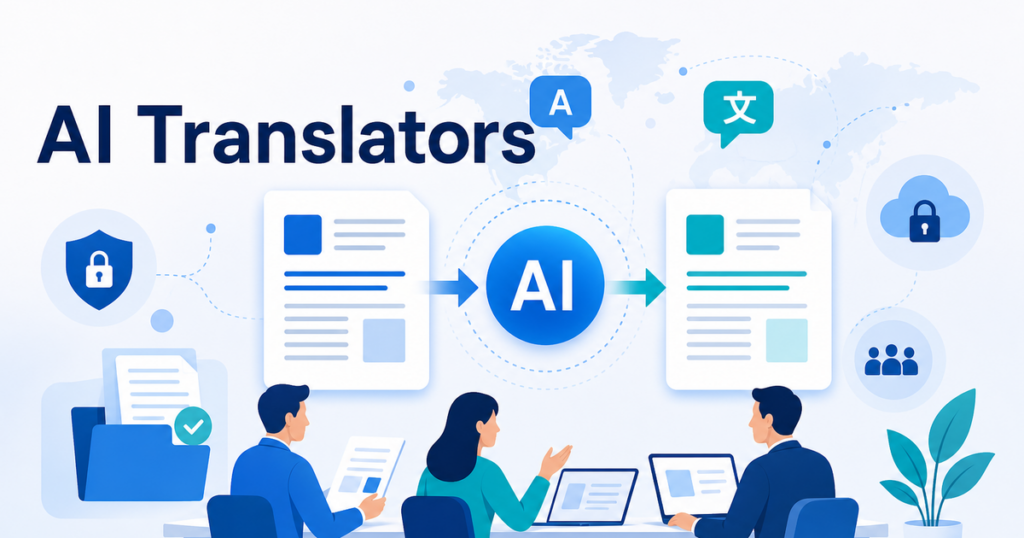

Small businesses need document translation for all sorts of reasons: proposals for international clients, employee handbooks for multilingual teams, product manuals for overseas customers, and contracts with foreign partners. The good news is that AI-powered translation tools have made this faster and more affordable than ever.
The challenge is choosing the right tool from a growing field of options. This article does not rank tools or declare a winner, because the best choice depends on your specific documents, languages, and workflow. Instead, it lays out the criteria that matter most so you can make an informed comparison.
Why Small Businesses Have Different Needs Than Enterprises
Enterprise translation workflows often involve dedicated localization teams, translation memory servers, API integrations, and vendor management processes. Small businesses typically need something simpler:
- A tool they can use without specialized training
- Affordable pricing that scales with usage, not per-seat licensing
- Support for the file formats they actually use, such as Word, PDF, PowerPoint, and Excel
- Results that are good enough to review and finalize without hiring a translation agency for every document
This means the criteria for evaluating tools as a small business are different from what a global enterprise would prioritize.
Criteria for Comparing AI Document Translators
File Format Support
The first question is whether the tool handles the file types you work with. Most businesses need support for:
- DOCX: Word documents for proposals, contracts, policies, and reports
- PDF: Both text-based and scanned PDFs for archived documents and formal filings
- PPTX: PowerPoint presentations for sales decks, training materials, and pitch documents
- XLSX: Excel spreadsheets for pricing tables, data sheets, and financial models
Some tools support all four formats. Others specialize in one or two. If your documents span multiple formats, a tool that handles all of them in one workflow saves time and maintains terminology consistency.
Google Translate supports document translation for certain file types, though with limitations on file size and formatting preservation. DeepL supports DOCX, PPTX, and PDF according to its documentation, though specific format support may vary by plan.
Sources:
- https://support.google.com/translate/answer/2534559
- https://support.deepl.com/hc/en-us/articles/360020582359-File-formats
Formatting Preservation
This is where AI document translators differ most significantly. Some tools extract the text from your document, translate it, and return the translation as plain text or in a simple layout. Others are designed to preserve more of the original formatting, including tables, headers, footers, images, and page layouts, though reviewers should still check the output.
For small businesses, formatting preservation is important because you probably do not have a graphic designer on staff who can rebuild a translated document's layout. A tool that returns a formatted DOCX or PPTX file means you can review and distribute the translation without additional formatting work.
When evaluating tools, test with a document that includes tables, images, and varied formatting. See how close each tool keeps the output to the original layout and how much review is still needed. This is more revealing than reading feature lists.
Language Pairs
Different translation tools support different language combinations. Some focus on major European languages. Others offer broader coverage including Asian, Middle Eastern, and African languages.
Check that the tool supports the specific language pairs you need, not just the general languages. For example, a tool might support English to Spanish but not Catalan. Or it might support English to Chinese but not distinguish between Simplified and Traditional Chinese.
Google Translate supports a wide range of languages, which makes it a common starting point. However, language coverage alone does not determine quality. A tool that supports fewer languages but produces better translations in the ones you actually need may be the better choice.
Source: https://support.google.com/translate/answer/2534559
Translation Quality for Your Content Type
Translation quality varies by content type. A tool that produces excellent marketing copy might struggle with technical specifications. One that handles legal documents well might produce stiff-sounding training materials.
When comparing tools, test each one with representative samples of your actual documents. Do not rely on generic quality benchmarks. Your business documents have specific vocabulary, sentence structures, and formatting that affect how well different translation engines perform.
For documents that include product names, industry terms, or company-specific terminology, check whether the tool supports glossaries or custom term lists. This feature allows you to specify how key terms should be translated, which improves consistency across documents.
Review and Editing Workflow
Even the best AI translation benefits from human review. How easy does the tool make it to review and edit the translation?
Consider whether the tool allows you to:
- View the source and translation side by side
- Edit the translated document directly
- Export the translation in an editable format
- Track changes between the AI output and your final version
Some tools are designed for a "translate and download" workflow where you get a finished file. Others provide a side-by-side editor for line-by-line review. The right choice depends on how much your team edits translations and how many people are involved in the review process.
Pricing Model
Small business pricing models for translation tools generally fall into three categories:
- Free with limits: Basic translation with file size or page limits. Good for occasional use but may not handle the formatting or volume you need.
- Per-document or per-page pricing: You pay per document translated. Predictable costs but can add up if you translate frequently.
- Subscription plans: Monthly or annual fee for a set volume or unlimited use within limits. Cost-effective if you translate regularly.
When comparing prices, factor in the hidden costs of a cheaper tool that does not preserve formatting. If your team repeatedly spends time reformatting translated documents, compare that labor cost with a tool designed to preserve layout and reduce manual cleanup.
Data Handling and Security
Every document you upload to a translation service contains your business information. Before choosing a tool, understand how it handles your data:
- Are uploaded documents stored on the provider's servers?
- Is your content used to train the provider's AI models?
- Can you delete your documents from the provider's system?
- What encryption and security measures protect your files during processing?
For businesses that translate contracts, financial documents, or other sensitive content, these questions matter. The FTC provides guidance on evaluating vendor security practices that applies to translation services as much as any other third-party tool.
Source: https://www.ftc.gov/business-guidance/small-businesses/cybersecurity/vendor-security
Batch Translation Capability
If you regularly translate multiple documents, batch processing saves time. Some tools allow you to upload several files at once and translate them all with the same settings and glossary. Others require you to process files one at a time.
For a business that translates a ten-document proposal package into three languages, batch capability means thirty translations running in parallel instead of thirty separate upload-and-wait cycles.
API and Integration Options
As your translation needs grow, you may want to integrate translation into your existing workflows. Check whether the tool offers:
- An API for programmatic document submission and retrieval
- Integrations with cloud storage services like Google Drive, Dropbox, or SharePoint
- Webhook notifications when translations are complete
- Automation options for recurring translation tasks
These features may not matter when you are translating five documents a month, but they become valuable if your volume grows.
Understanding Translation Quality for Business Use
What "Good Enough" Means
For small businesses, the goal of AI translation is not perfection. It is producing a draft that a bilingual reviewer can finalize quickly. A good AI translation tool produces output that:
- Communicates the original meaning without distortion
- Uses natural-sounding language rather than obviously machine-generated phrasing
- Preserves formatting so the translated document looks professional
- Handles specialized terminology consistently when provided with a glossary
The reviewer's job is to catch errors, improve fluency, and adjust tone, not to rewrite the entire document. When the AI output requires only minor corrections, the workflow is working well.
When Quality Matters Most
Not all documents need the same level of review. An internal memo translated for your team can tolerate occasional awkward phrasing. A client-facing proposal cannot. Prioritize your review effort based on the document's audience and purpose:
- Internal use only: Light review for accuracy, especially for numbers and key terms
- External business communication: Thorough review for accuracy, tone, and professionalism
- Legal-adjacent content: Additional review by someone with knowledge of the relevant legal context
This tiered approach lets you allocate review resources where they matter most.
Making Your Comparison
To evaluate tools effectively, follow this process:
1. List Your Requirements
Write down what you actually need. Include file formats, language pairs, typical document volume, formatting requirements, and any security constraints. This list keeps you focused on your needs rather than getting drawn to features that sound impressive but are not relevant.
2. Select Three to Five Tools to Test
There are many translation tools available. Narrow the field to a manageable number based on your initial requirements. Include a mix of well-known services and newer options that might offer better value.
3. Test with Real Documents
Upload the same two or three representative documents to each tool. Choose documents that include the formatting challenges you face regularly: tables, images, complex layouts, and specialized terminology.
4. Evaluate the Output
For each tool, assess:
- How well the formatting was preserved
- Whether specialized terms were handled correctly
- Whether the translation reads naturally
- How much editing would be needed before you could send it to a client or colleague
5. Compare Total Cost
Calculate the total cost per translated document, including the tool's price, the time your team spends reformatting, and the time your reviewers spend correcting errors. The cheapest tool on paper may not be the most cost-effective in practice.
6. Test the Review Workflow
Have a bilingual team member review one of the test translations. Ask them to rate how easy the document was to review and edit. A translation that is slightly less fluent but formatted perfectly may be faster to finalize than a more fluent translation that requires extensive reformatting.
The Role of Human Review
No AI translation tool produces perfect output for every document type. The value of AI translation for small businesses is not in eliminating human review but in reducing the time and cost it requires.
A practical workflow is to use AI translation to generate a formatted first draft, then have a bilingual team member review and finalize the content. This approach can reduce translation effort and review cost for suitable internal or operational documents, depending on volume, language pair, and quality requirements.
For documents where accuracy is especially critical, such as contracts or regulatory filings, consider engaging a professional translator for a final review even if you used AI to generate the initial draft.
Conclusion
Choosing an AI document translator for your small business comes down to matching the tool's capabilities to your actual needs. File format support, formatting preservation, language coverage, translation quality, and data handling are the criteria that matter most in practice.
Take the time to test tools with your real documents rather than relying on marketing claims. The hour you spend testing will pay off every time you translate a document without having to rebuild the formatting or correct recurring errors.
For a closer look at how file formats affect the translation process, see this guide to translating PDFs without losing formatting.