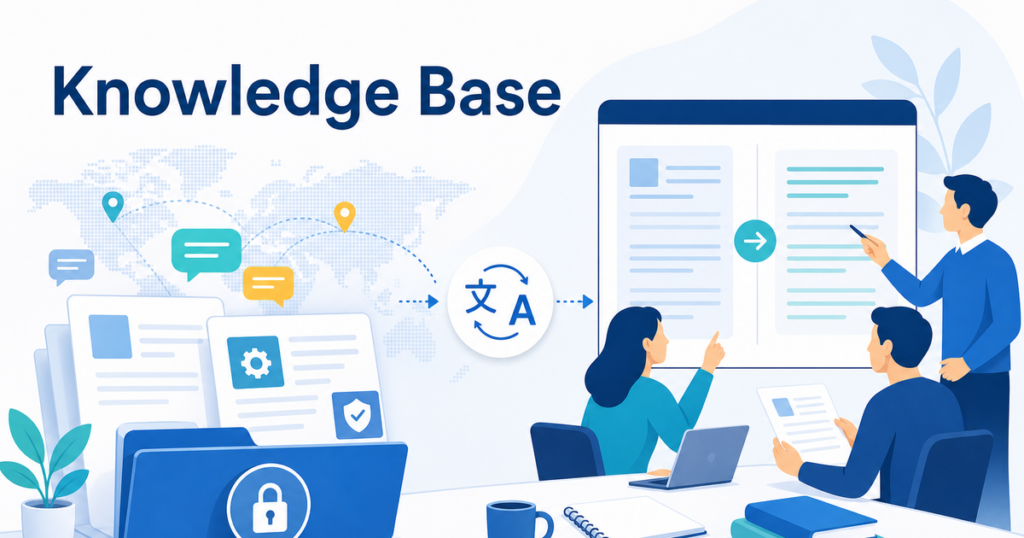

Internal knowledge bases are the operational backbone of modern organizations. They store troubleshooting procedures, process documentation, onboarding guides, and the accumulated know-how that keeps teams running smoothly. When your company operates across multiple countries and languages, that knowledge needs to be accessible to everyone.
Translating an internal knowledge base is different from translating a customer-facing document. The audience is your own employees, the content changes frequently, and the volume can be large. This article walks through a practical approach to translating internal KB articles at scale.
Why Translate Your Internal Knowledge Base
When employees cannot access information in a language they read comfortably, several things happen:
- They ask colleagues for help instead of looking up the answer themselves, which creates productivity drag on experienced team members
- They follow outdated procedures because the English version was updated but they are still working from an older translated version they saved locally
- They make mistakes because they misunderstood a procedure that was only available in English
- They feel excluded from the company's knowledge-sharing culture
Translating your knowledge base is not just a convenience. It is an operational investment that reduces support overhead, improves consistency, and helps distributed teams work more independently.
Getting Stakeholder Buy-In
Before launching a KB translation project, it helps to build support across the organization. Different stakeholders will care about different outcomes:
- Operations leaders want fewer support escalations and faster onboarding for international hires.
- Local office managers want their teams to be self-sufficient rather than relying on headquarters for every question.
- IT and compliance teams want to ensure that translated procedures match approved processes and that data handling during translation meets security requirements.
- Finance wants to understand the cost and ROI of the translation program.
Present the project in terms that resonate with each group. A pilot translation of twenty high-traffic articles with before-and-after support ticket data is often enough to demonstrate value and secure budget for broader translation.
Challenges of KB Translation
Volume and Velocity
A mature knowledge base can contain hundreds or thousands of articles. New articles are created regularly, and existing articles are updated frequently. A translation approach that requires sending each article to a translator individually does not scale.
Content Fragmentation
KB articles often reference each other. Article A might link to Article B, which links to Article C. If you translate articles one at a time without coordinating, the links between translated articles may break or point to English versions.
Plan your translation in batches of related articles. Translate all articles in a topic area together so that internal links within that area can point to the correct translated versions. For cross-topic links, establish a convention for how to handle references to articles that have not been translated yet, such as keeping the link to the English version with a brief note in the target language.
Mixed Content Types
A single KB article might contain formatted text, tables, screenshots, embedded videos, and attached files. Each of these elements may need different handling during translation.
Multiple Authors
KB articles are typically written by many different people across the organization, each with their own writing style and terminology preferences. This inconsistency in the source material makes consistent translation more difficult.
Planning Your KB Translation Project
Audit Your Content
Before you start translating, understand what you have. Catalog your KB articles and classify them by:
- Frequency of access: Which articles are viewed most often?
- Update frequency: Which articles change frequently versus which are relatively stable?
- Criticality: Which articles relate to safety, compliance, or essential operations?
- Audience: Which articles serve a single location versus which are relevant globally?
This audit helps you prioritize. Start with high-access, high-criticality articles that are relatively stable. These give you the best return on your translation investment and let you refine your workflow before tackling more complex content.
Choose Your Translation Approach
There are three main approaches to KB translation:
Full translation: Translate every article. This is the most comprehensive option but requires the most resources. It makes sense when your KB is the primary source of operational information for all locations.
Priority-based translation: Translate only the most important articles. This is a practical starting point that delivers the highest value first. You can expand coverage over time.
On-demand translation: Translate articles only when someone requests them. This minimizes upfront investment but creates delays for employees who need information immediately.
Most organizations start with priority-based translation and expand toward full coverage over time.
Establish a Terminology Standard
Before you translate your first article, create a shared glossary of terms that appear frequently across your KB. This should include:
- Product and feature names
- Process names and their approved translations
- Technical terms specific to your industry or tools
- Department and role names
- Status labels and category names used in your KB platform
A shared glossary ensures that when ten different articles mention the same process, the translation uses the same term every time.
The Translation Workflow
Step 1: Export or Connect
Most knowledge base platforms, such as Confluence, SharePoint, Notion, or Zendesk Guide, support article export in formats like HTML, DOCX, or PDF. Export the articles you want to translate in a format that your translation tool can process.
If your KB platform supports API access, you may be able to automate the export and reimport process, which significantly reduces manual effort for ongoing updates.
Step 2: Prepare Articles for Translation
Clean up the exported articles before translating. Remove content that does not need translation, such as internal tracking codes or system-generated metadata. Ensure that embedded images have alt text that can be translated and that tables use proper table formatting rather than visual approximations.
Step 3: Translate Using Format-Aware Tools
Upload your articles to a translation tool designed to preserve formatting. For example, Jitan Translate handles DOCX, PDF, PPTX, and XLSX files. If your KB articles contain step-by-step procedures in numbered lists, comparison tables, or embedded diagrams, format-aware translation helps keep structural elements in place, but reviewers should still verify tables, lists, links, and headings after translation.
Apply your shared glossary to maintain terminology consistency across all translated articles. Even a small glossary of key terms makes a noticeable difference in the coherence of a translated knowledge base.
Step 4: Review Translated Articles
Assign reviewers who understand both the language and the subject matter. For an internal KB, the best reviewers are often the subject matter experts in each local office. They know the processes, they understand the local context, and they can verify that the translated instructions match how things actually work in their location.
Provide reviewers with a checklist that covers:
- Procedural accuracy: Do the translated steps match the actual workflow?
- Terminology consistency: Does the translation use the approved terms from your glossary?
- Link integrity: Do internal links still point to the correct articles?
- Contextual appropriateness: Are there references to tools, locations, or processes that are specific to the original country and need adaptation?
Step 5: Import and Publish
Once reviewed, import the translated articles back into your KB platform. If you exported as DOCX or PDF, you may need to copy the translated content into your KB editor. If your platform supports direct import, use that to preserve formatting automatically.
Tag the translated articles clearly so users can filter by language. Make sure the language selector in your KB platform is visible and intuitive.
Step 6: Establish an Update Process
Translated articles will quickly become outdated if they are not updated when the English source changes. Establish a process that includes:
- Monitoring English article updates through change logs or platform notifications
- Identifying which changes require retranslation, such as factual updates, versus which are minor edits that do not affect the translated versions
- Translating updates promptly, especially for articles related to safety, compliance, or critical operations
Handling Specific KB Content Types
Troubleshooting Articles
Troubleshooting guides often use decision trees or flowchart-style structures: "If X happens, try A. If that does not work, try B." These structures need to translate cleanly so the logical flow remains clear. Verify that conditional statements ("if," "unless," "except when") are translated accurately, as errors here can lead readers down the wrong troubleshooting path.
Process Documentation
Process articles describe how to complete tasks within your organization. They may include approval workflows, system configurations, or standard operating procedures. These articles need precise translation because deviations from the standard process can create compliance issues or operational errors.
Policy and Compliance Articles
Articles that describe company policies or regulatory compliance requirements need extra care. While AI translation can produce strong drafts, policy-related content should always receive a thorough review by someone who understands the local regulatory environment.
For more on translating policy content, see this guide to translating PDFs without losing formatting.
Reference Tables and Checklists
Reference tables, such as product code lists, approval matrices, or escalation contacts, need to translate with their structure preserved. Checklists need their checkbox formatting maintained so readers can still use them as working documents.
Measuring Success
How do you know if your KB translation program is working? Track these metrics:
- Search success rate in each language: Are employees finding what they need in their language?
- Support ticket volume by language: Do tickets decrease in locations where KB articles have been translated?
- Article view counts by language: Which translated articles get the most traffic?
- Feedback scores: Are employees rating translated articles as helpful?
- Update lag time: How quickly are translated articles updated after the English source changes?
These metrics help you prioritize future translation work and demonstrate the value of the program to stakeholders.
Scaling the Program
Once you have translated your initial set of priority articles and established your workflow, scaling is a matter of repeating the process for additional content. Each cycle builds your glossary, familiarizes your reviewers, and reduces the per-article translation time.
For large knowledge bases, consider translating in batches organized by topic or department. This keeps related terminology together and allows reviewers to work through content in logical groups rather than jumping between unrelated subjects.
Security Considerations
Internal knowledge bases often contain sensitive information about your operations, security procedures, and business processes. When you export articles for translation, ensure that:
- You are only exporting articles that should be translated, not confidential content that should remain in English only
- Your translation provider handles documents securely and does not use your content to train AI models
- Access to translated documents is controlled during the review process
The FTC's guidance on vendor security provides a framework for evaluating how third-party services handle your data.
Source: https://www.ftc.gov/business-guidance/small-businesses/cybersecurity/vendor-security
Conclusion
Translating your internal knowledge base makes your organization's collective expertise available to every employee, regardless of language. By auditing your content, establishing a shared glossary, using format-aware translation tools, and building a repeatable review process, you can create a multilingual knowledge base that keeps your global teams informed and productive.
Start with your most-accessed articles, refine your workflow, and expand coverage over time. The result is a knowledge base that truly serves your entire organization, not just the English-speaking portion of it.