When you send a document to a translation service, you are handing over the contents of that document to a third party. For a marketing flyer, the risk is low. For a contract with client names, an employee handbook with salary ranges, or a regulatory filing with financial details, the risk is meaningful.
Small businesses often evaluate translation tools and services based on price, language support, and output quality. Security tends to be an afterthought, until something goes wrong.
This article provides a practical security checklist for evaluating translation vendors, whether you are choosing an AI-powered translation tool, a human translation agency, or a hybrid service.
Why Vendor Security Matters for Translation
Translation vendors process your documents. Depending on what you send them, those documents may contain:
- Proprietary business information (product specs, pricing, strategy documents)
- Employee personal information (names, addresses, compensation details)
- Customer data (contact information, order histories, support records)
- Financial information (revenue figures, contract terms, bank details)
- Legal content (contracts, compliance filings, intellectual property)
If the vendor’s security practices are weak, any of this information could be exposed through data breaches, insider access, or insufficient data handling procedures.
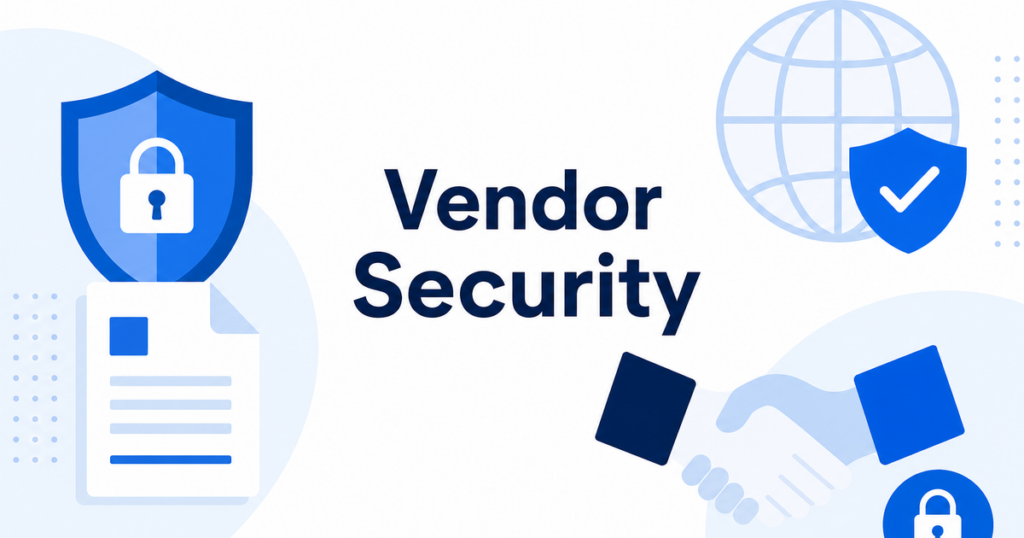
The FTC provides specific guidance for small businesses on evaluating vendor security.
Source: https://www.ftc.gov/business-guidance/small-businesses/cybersecurity/vendor-security
The Checklist
Use this checklist when evaluating any translation vendor. Not every item will apply to every business, but working through the full list helps you make an informed decision.
1. Data Encryption
- [ ] In transit: Does the vendor encrypt data while it is being uploaded and downloaded? Look for TLS (HTTPS) as a minimum.
- [ ] At rest: Are uploaded documents encrypted while stored on the vendor’s servers? Ask about encryption standards (AES-256 is common).
- [ ] End-to-end: Does the vendor offer end-to-end encryption where only you can decrypt your documents?
2. Data Retention and Deletion
- [ ] Retention period: How long does the vendor retain your documents after translation is complete?
- [ ] Deletion policy: Does the vendor delete your documents upon request, or only after a set period?
- [ ] Training data usage: Does the vendor use your documents to train its AI models? If so, can you opt out?
- [ ] Backup retention: Are backups that contain your documents subject to the same deletion timeline?
The retention question is particularly important for AI-powered translation services. Some providers use customer inputs to improve their models. If your documents contain sensitive information, you need to know whether they become part of the model’s training data.
3. Access Controls
- [ ] Who can see your documents? Can vendor employees access your uploaded documents, or is access limited to automated systems?
- [ ] Authentication: Does the vendor require multi-factor authentication (MFA) for account access?
- [ ] Role-based access: If you have multiple users on your account, can you set different permission levels?
- [ ] Session management: Does the vendor enforce session timeouts and automatic logout?
4. Compliance and Certifications
- [ ] Data processing agreement: Does the vendor offer a DPA that specifies how your data is handled?
- [ ] Certifications: Does the vendor hold any security certifications (SOC 2 Type II, ISO 27001, or equivalent)?
- [ ] Privacy policy: Is the vendor’s privacy policy clear about what data they collect, how they use it, and who they share it with?
- [ ] Data residency: Where are the vendor’s servers located? If you have regulatory requirements about where data can be processed, this matters.
5. Sub-processor Transparency
- [ ] Sub-processors: Does the vendor use third-party sub-processors (cloud hosting, AI model providers, etc.) to handle your documents?
- [ ] Sub-processor list: Does the vendor publish a list of sub-processors and notify you when it changes?
- [ ] Sub-processor security: Are sub-processors subject to the same security requirements as the vendor?
Many translation services run on cloud infrastructure (AWS, Google Cloud, Azure). The security of that infrastructure affects your documents. Knowing which sub-processors are involved helps you assess the full chain of custody.
6. Incident Response
- [ ] Breach notification: Does the vendor commit to notifying you within a specific timeframe if a data breach occurs?
- [ ] Incident response plan: Does the vendor have a documented incident response plan?
- [ ] Liability: What liability does the vendor accept if your data is exposed due to their negligence?
Source: https://www.ftc.gov/business-guidance/resources/data-breach-response-guide-business
7. Operational Security
- [ ] Vulnerability management: Does the vendor regularly scan for and patch security vulnerabilities?
- [ ] Employee training: Are vendor employees trained on data handling and security practices?
- [ ] Physical security: If the vendor processes documents in physical locations (common for human translation agencies), what physical security measures are in place?
- [ ] Secure development: If the vendor develops its own translation software, does it follow secure development practices?
8. Data Handling for Human Translation
If you use a vendor that employs human translators:
- [ ] Translator access: Do individual translators see the full document or only the segments they are assigned?
- [ ] Confidentiality agreements: Are translators bound by confidentiality agreements?
- [ ] Work environment: Do translators work on secure devices, or can they download documents to personal computers?
- [ ] Background checks: Does the vendor conduct background checks on translators who handle sensitive content?
9. File Format Security
- [ ] Supported formats: Does the vendor handle your file formats (PDF, DOCX, PPTX, XLSX) without requiring conversion to a less secure intermediate format?
- [ ] Metadata handling: Does the vendor preserve or strip document metadata (author names, revision history, etc.)? Depending on your needs, either could be a concern.
- [ ] Macro and script handling: Does the vendor safely handle documents that contain macros or embedded scripts?
10. Business Continuity
- [ ] Uptime commitment: Does the vendor offer a service level agreement (SLA) for availability?
- [ ] Data recovery: If the vendor experiences a system failure, can your documents be recovered?
- [ ] Exit strategy: If you stop using the vendor, what happens to your data? Can you export everything and confirm deletion?
How to Use This Checklist
You do not need to send all 30+ questions to every vendor. Here is a practical approach:
Tier Your Documents
Classify your documents into sensitivity tiers:
- Tier 1 (Public): Marketing materials, blog posts, product descriptions. Low sensitivity. Basic security practices are sufficient.
- Tier 2 (Internal): Internal communications, training materials, non-sensitive business documents. Moderate sensitivity. Standard security practices required.
- Tier 3 (Confidential): Contracts, employee records, financial documents, legal filings. High sensitivity. Full security evaluation required.
Apply the full checklist only to vendors that will handle Tier 3 documents. For Tier 2, focus on encryption, data retention, and access controls. For Tier 1, a basic review of privacy policy and data handling is sufficient.
Ask for Documentation
Do not rely on sales claims. Ask for:
- The vendor’s security whitepaper or documentation
- A sample data processing agreement
- Their most recent SOC 2 report or equivalent certification documentation
- Their sub-processor list
A vendor that cannot provide these documents, or that takes weeks to produce them, is telling you something about their security maturity.
Test With Non-Sensitive Documents First
Before uploading sensitive documents, test the vendor with non-sensitive files. Confirm that:
- The translation quality meets your needs (security does not matter if the output is unusable)
- The file format handling works as expected
- The user interface gives you control over document management and deletion
- Customer support is responsive
Red Flags
Watch for these warning signs when evaluating translation vendors:
- No privacy policy or a privacy policy that is vague about data handling
- No option to delete your documents after translation
- Claims that “we never store your data” without documentation to back it up
- Resistance to signing a data processing agreement
- No mention of encryption in their technical documentation
- Training on your data by default with no opt-out
- Free services with no clear business model (if you are not paying, your data may be the product)
Building Vendor Security Into Your Workflow
Once you have selected a vendor, build security into your translation workflow:
- Pre-process documents. Remove or redact sensitive information before uploading whenever possible.
- Use separate vendors for different sensitivity tiers if your primary vendor does not meet the requirements for Tier 3 documents.
- Review access logs periodically to confirm that only authorized users are accessing your account.
- Re-evaluate annually. Vendor security practices change. What was adequate a year ago may not be adequate today.
A Practical Evaluation Process
When you are ready to evaluate a specific vendor, follow this sequence:
- Read the privacy policy and terms of service. These documents tell you how the vendor handles your data at a high level.
- Check for a security page or whitepaper. Most serious vendors publish information about their security practices.
- Request a data processing agreement. If they cannot provide one, or resist signing yours, that is a red flag.
- Test with non-sensitive documents. Create a free or trial account and upload a non-sensitive test document. Confirm the output quality, file format handling, and user experience.
- Ask specific questions. Send the checklist items that matter most for your document sensitivity level. A vendor that gives clear, prompt answers is easier to work with than one that responds with vague marketing language.
- Make a decision based on your tier system. For Tier 3 documents, do not compromise on the items that matter most. For Tier 1, speed and cost may outweigh minor security gaps.
Document your evaluation. If you are ever asked by an auditor, regulator, or customer how you chose your translation vendor, having a written evaluation process demonstrates due diligence.
Summary
Evaluating translation vendor security is not a one-time task. It is an ongoing process that starts with understanding what data you are sharing, choosing a vendor whose security practices match your risk tolerance, and building data protection into your translation workflow.
The checklist in this article gives you a framework. Adapt it to your business’s specific needs and regulatory environment. The goal is not to find a vendor with zero risk, but to make informed decisions about which risks you accept and which you mitigate.
What to Ask Before Your First Upload
Before you upload your first document to any translation service, run through this quick pre-flight check:
- Does this document contain personal information? If yes, have you redacted or minimized the PII as described in the workflow for sensitive documents?
- Do you have permission to share this document with a third party? Check whether your contracts, customer agreements, or internal policies restrict sharing documents with external services.
- Does the vendor’s retention policy meet your requirements? If you need documents deleted within 24 hours, confirm the vendor supports that timeline before uploading.
- Have you tested with a non-sensitive document first? Always validate output quality and file format handling with content that carries no risk before using the service for real work.
What to Discuss With Your IT Security Team
If your business has an IT security function, involve them when evaluating translation vendors for sensitive documents. Share this checklist with them and ask:
- Does this vendor meet our existing vendor security standards? Many IT teams have a standard vendor assessment questionnaire. Applying it to translation vendors ensures consistency.
- Are there network-level controls we should implement? For example, restricting document uploads to approved IP ranges or requiring VPN access for the translation service.
- Should we use a dedicated translation environment? Some businesses create an isolated environment for document processing to prevent cross-contamination between sensitive and non-sensitive workflows.