
Imagine translating a product manual where your flagship product is called “CloudSync” on page one, “Cloud Sync” on page five, and “クラウド同期” on page twelve. Each variation came from the same machine translation engine making a different choice each time it encountered the term. Now imagine the same inconsistency spread across contracts, marketing materials, help documentation, and training slides.
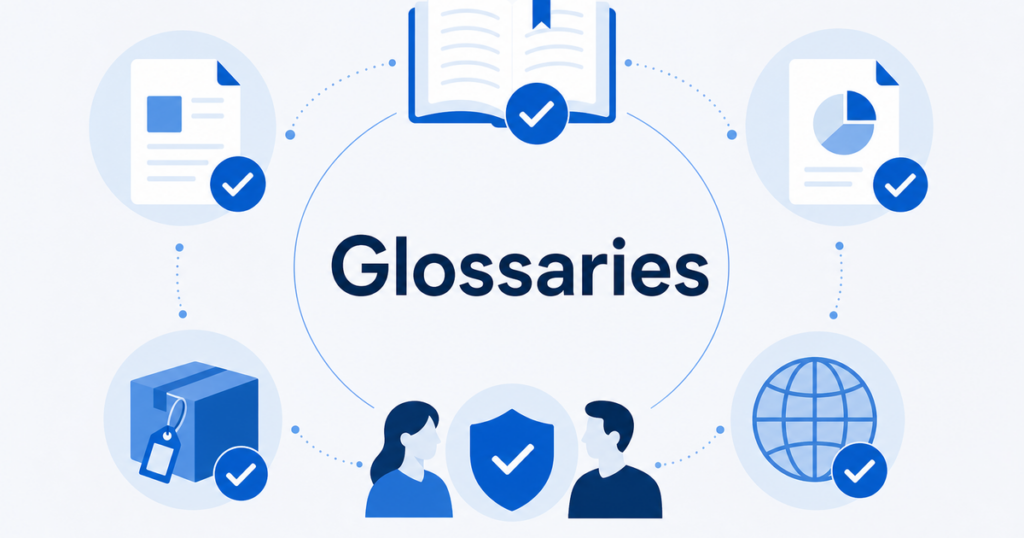
This is the problem translation glossaries solve. A glossary tells the translation engine exactly how to handle specific terms, eliminating the guesswork and producing consistent output across every document.
This article explains how translation glossaries work, when you need one, and how to build and maintain one for your organization.
What Is a Translation Glossary
A translation glossary is a list of source-language terms mapped to their approved target-language translations. When a translation engine encounters a term that appears in the glossary, it uses the glossary translation instead of generating its own.
Most major translation APIs support glossaries:
- Google Cloud Translation API supports glossaries in its Advanced tier.
- DeepL API supports multilingual glossaries.
- Microsoft Translator supports custom dictionaries through its hub.
Source: https://cloud.google.com/translate/docs/advanced/glossary
Source: https://developers.deepl.com/api-reference/multilingual-glossaries
The concept is simple, but the implementation details matter. A well-built glossary improves translation quality. A poorly built one can make translations worse.
Why Glossaries Matter for Business Documents
Business documents use specialized vocabulary that general-purpose translation engines handle inconsistently. Without a glossary, the engine translates based on statistical patterns in its training data. With a glossary, you enforce specific decisions that align with your organization’s standards.
Product names
Product names should almost never be translated. “CloudSync” should remain “CloudSync” in every language. Some brands choose to localize product names for specific markets, but that is a deliberate marketing decision, not something you want a translation engine to decide on its own.
A glossary entry ensures the product name is handled the same way every time, whether it appears in a contract, a help article, or a slide deck.
Legal terms
Legal documents contain terms with specific meanings. “Force Majeure,” “Indemnification,” “Governing Law,” and “Confidential Information” all need consistent, accurate translation. Different translations of the same legal term in the same contract create ambiguity that lawyers exploit and courts misinterpret.
Technical terminology
Engineering documents, product specifications, and technical manuals use jargon that has specific meanings within your organization. A “deployment pipeline” in your company might refer to a specific internal process, not the generic concept. Without a glossary, the translation engine treats it as generic text.
Brand voice and tone
Some organizations prefer specific phrasing for marketing materials. “Sign up” might be glossaried to a specific translation that matches the brand voice, rather than whatever the engine would choose by default.
Industry-specific terms
Healthcare, finance, manufacturing, and other industries have regulated terminology. Using the wrong term for a medical device component or a financial instrument is not just inconsistent; it can be a compliance issue.
How to Build a Translation Glossary
Step 1: Audit your existing translations
Start by reviewing translations you have already done. Look for:
- Terms that were translated inconsistently across documents
- Terms that were translated when they should have been left untranslated
- Terms where the machine translation chose a word that your team consistently corrected
These are your first glossary candidates.
Step 2: Identify term categories
Organize your glossary into categories:
- Do not translate: Product names, company names, brand names, acronym-laden terms that are used as-is in the target language.
- Always translate as: Specific terms that must always use a particular translation, regardless of what the engine would choose by default.
- Context-dependent: Terms that might need different translations in different contexts. These require more careful handling and may need multiple glossary entries with usage notes.
Step 3: Collect terms from subject matter experts
Your product managers, lawyers, engineers, and marketing team know which terms matter. Ask them:
- What terms must never be translated?
- What terms have caused confusion in past translations?
- What terms have specific meanings within your organization that differ from common usage?
Step 4: Define approved translations
For each source term, define the approved target-language translation. If you work with human translators or localization agencies, consult them on the best translations. They understand nuances that a simple dictionary lookup misses.
Step 5: Format the glossary
Each translation API has its own glossary format. Generally, a glossary is a CSV or TSV file with columns for:
- Source term
- Target translation
- (Optional) Language pair
- (Optional) Notes or usage context
Follow the specific format requirements of the API you are using. Google Cloud and DeepL both provide documentation on their expected formats.
Step 6: Test the glossary
Before deploying the glossary to production, test it on a few representative documents. Compare the output with and without the glossary applied. Check that:
- Glossary terms are correctly applied
- Non-glossary text is not negatively affected
- The glossary does not cause unintended side effects (e.g., a short glossary entry matching inside a longer word)
Common Glossary Pitfalls
Over-glossarizing
Not every word needs a glossary entry. Too many entries create conflicts and slow down processing. Focus on terms that the engine consistently gets wrong or translates inconsistently.
A good rule of thumb: if the engine translates the term correctly nine times out of ten, leave it alone. Glossary entries are for the one time out of ten, and for terms where any deviation from the approved translation is unacceptable.
Short-term ambiguity
If your glossary includes the term “set,” the engine will apply that translation everywhere it encounters “set,” regardless of context. “Set up,” “data set,” and “sunset” all contain “set” but mean different things.
Avoid adding very short or common words to the glossary unless you are confident the matches will be correct in every context.
Case sensitivity
Some glossary implementations are case-sensitive. If you add “CloudSync” to your glossary but the document contains “cloudsync” in lowercase, the glossary may not apply. Understand how your chosen tool handles case and add variants if necessary.
Failing to maintain the glossary
Glossaries are living documents. As your product evolves, new terms need to be added. When you enter new markets, existing glossary entries may need new target-language translations. Assign someone to review and update the glossary on a regular schedule.
Glossary Implementation by Platform
Google Cloud Translation API
Google’s glossary feature lets you upload a terminology file and reference it in translation requests. The glossary is stored within your Google Cloud project and applied on demand.
Key points:
- Glossaries are language-pair specific (a separate glossary for each language direction).
- You can have multiple glossaries per language pair and choose which one to apply per request.
- Glossary matching is case-insensitive by default.
Source: https://cloud.google.com/translate/docs/advanced/glossary
DeepL API
DeepL’s multilingual glossary feature allows you to define term pairs that the API uses during translation.
Key points:
- Glossaries can be created and managed through the API.
- Glossary entries are enforced when the source term appears in the text.
- DeepL recommends keeping glossaries focused on terms that need specific handling rather than general vocabulary.
Source: https://developers.deepl.com/api-reference/multilingual-glossaries
Practical considerations
Both platforms require API access to use glossaries. The free web interfaces (Google Translate website, DeepL website) do not support custom glossaries. If glossary support is important for your workflow, you need either an API integration or a tool that wraps the API with glossary management built in.
Glossary Workflows for Teams
Centralized glossary management
One person or a small team owns the glossary. They collect term requests from across the organization, define approved translations, and maintain the glossary file. This ensures consistency but can create a bottleneck if the team is slow to respond to new term requests.
Distributed glossary contributions
Multiple team members can propose glossary entries through a shared document or tool. A reviewer approves entries before they go into the active glossary. This scales better but requires clear guidelines on what qualifies for a glossary entry.
Automated term extraction
Some localization tools analyze your source documents and highlight terms that appear frequently or are translated inconsistently. These become glossary candidates that a human reviewer can approve or reject.
Measuring Glossary Effectiveness
How do you know your glossary is working? Track these metrics:
- Consistency rate: How often does a given term appear with the same translation across documents? This should approach 100% for glossary terms.
- Correction rate: How often do human reviewers change the translation of glossary terms? This should approach 0% if the glossary is well-built.
- Review time: How long does it take to review a translated document? A good glossary reduces review time because reviewers spend less time fixing inconsistent terminology.
Key Takeaways
- Translation glossaries enforce specific term translations, eliminating inconsistency across documents.
- Product names, legal terms, technical jargon, and brand language are the most important categories to glossary.
- Build glossaries by auditing past translations, consulting subject matter experts, and testing before deployment.
- Avoid over-glossarizing and short-term ambiguity that causes false matches.
- Both Google Cloud Translation API and DeepL API support glossaries, but the free web interfaces do not.
- Maintain your glossary as a living document that evolves with your product and market expansion.
A translation glossary is one of the highest-leverage investments a localization team can make. It takes effort to build, but it pays dividends across every document you translate, reducing both review time and the risk of inconsistent terminology reaching your customers.
Real-World Example: Building a Glossary for a SaaS Company
To illustrate the glossary-building process, consider a hypothetical SaaS company that produces project management software. They are expanding from the US market to Japan and need to translate their product documentation, marketing materials, and legal agreements.
Phase 1: Initial audit
The team reviews their existing machine-translated documents and identifies inconsistencies:
- The product name “TaskFlow” appears as “タスクフロー” in some documents and “TaskFlow” (untranslated) in others.
- The feature name “Sprint Board” is translated as “スプリントボード” in the user guide but as “スプリント監” (wrong character) in the API documentation.
- The legal term “Service Level Agreement” is translated differently in the Terms of Service versus the Enterprise Agreement.
- The technical term “webhook” is sometimes translated and sometimes left in English, with no clear pattern.
They compile a list of 45 terms that appear inconsistently across their document set.
Phase 2: Categorization
They organize the terms into categories:
Do not translate (8 terms): TaskFlow (product name), Sprint Board (feature name), API, webhook, dashboard, and other technical terms that the Japanese engineering community uses in English.
Always translate as (25 terms): Specific translations for legal terms, marketing phrases, and UI elements that have been reviewed and approved by the Japanese team.
Context-dependent (12 terms): Terms like “project” (which has multiple Japanese translations depending on context) that need usage notes rather than fixed translations.
Phase 3: Expert review
They send the draft glossary to three stakeholders:
- The Japan country manager reviews brand and marketing terms.
- The legal counsel reviews legal terminology.
- The engineering lead reviews technical terms.
Each stakeholder approves, modifies, or flags entries. The country manager decides that “Sprint Board” should actually be translated to a Japanese term rather than kept in English, because the target users are non-technical project managers, not engineers. Legal counsel provides specific Japanese translations for three legal terms that must match the local jurisdiction’s standard terminology.
Phase 4: Formatting and deployment
The team formats the glossary as a CSV file with columns for source term, target translation, and notes. They deploy it to both Google Cloud Translation and DeepL APIs.
Phase 5: Testing and iteration
They translate five test documents with and without the glossary. Comparing the results:
- The product name is now consistently “TaskFlow” across all documents.
- The legal term “Service Level Agreement” consistently uses the approved translation.
- One false match appears: the glossary entry for “board” (approved translation: “ボード”) matches inside the word “keyboard,” producing “keyボード.” They add “board” as a whole-word-only match or remove it and handle “Sprint Board” as a single phrase entry.
This iterative process takes about two weeks for initial setup and produces a glossary that saves the team roughly 30% of their post-translation review time on an ongoing basis.
Glossary Maintenance Over Time
A glossary is not a one-time project. Plan for ongoing maintenance:
New product features
Every new feature launch potentially introduces new terms. Add them to the glossary before the first translation cycle.
Market expansion
Entering a new market means adding a new target language to the glossary. The same source terms need approved translations in the new language, which requires input from native speakers in that market.
Customer feedback
If customers report confusion about translated terminology, the glossary entry may need to change. Track customer feedback related to language and feed it back into the glossary review process.
Quarterly review
Schedule a quarterly review where the glossary owner checks for stale entries, missing terms, and entries that have caused issues since the last review. This keeps the glossary current and effective.
Version control
Treat your glossary like code. Use version control so you can track changes, revert mistakes, and see when and why a term was added or modified. This is especially important when multiple people contribute to the glossary.