
How to Translate Multiple File Types in One Project
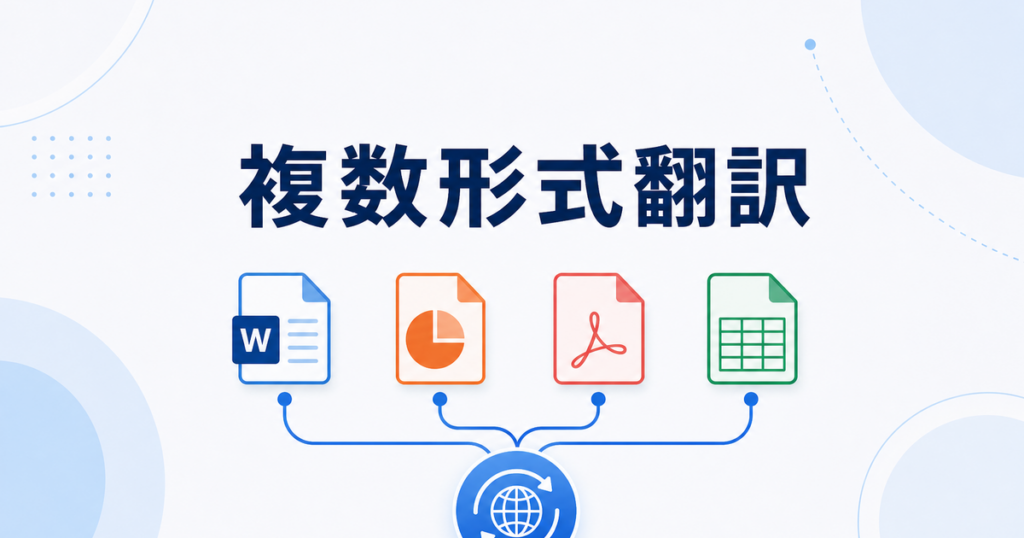
Your international client wants a proposal package translated by Friday. The package includes a Word proposal, a PowerPoint deck, a PDF appendix, and an Excel pricing sheet. Each file type has its own formatting challenges. Do you need four different translation tools? Four separate workflows? Four rounds of review?
This scenario plays out constantly in businesses that translate documents. The files come in mixed formats, and the team needs a way to handle them without losing formatting, introducing terminology inconsistencies, or spending more time on logistics than on actual review.
This article covers how to approach multi-format translation projects practically.
The Multi-Format Problem
Different file formats present different challenges for translation:
- DOCX (Word): Straightforward text extraction, but headers, footers, text boxes, and embedded objects can cause issues. Tracked changes and comments may need handling.
- PPTX (PowerPoint): Text is distributed across slides, text boxes, speaker notes, and master layouts. Font sizes and text box dimensions may need adjustment when the target language is longer or shorter than the source.
- PDF: Text-based PDFs can be translated, but formatting preservation varies widely. Scanned PDFs add OCR as a prerequisite step. Both may need more post-translation formatting work than other formats.
- XLSX (Excel): Spreadsheet cells have limited space. Translated text may overflow cells, break formulas, or disrupt print layouts. Tab names and charts may need separate handling.
When these files are part of the same project, the challenge multiplies. Terminology must be consistent across all four documents. The product name must be the same in the Word proposal, the PowerPoint deck, and the Excel pricing sheet. The tone and register should be consistent. If "premium support" is translated one way in the proposal, it should not become "deluxe assistance" in the slide deck.
Approaches to Multi-Format Translation
Option 1: One Tool That Handles All Formats
The simplest approach is a single translation tool that supports all the file types in your project. This ensures consistent terminology and a unified workflow.
Some document translation services support DOCX, PPTX, PDF, and XLSX. Jitan Translate, for example, handles these four formats and is designed to preserve the original layout in each, though reviewers should still check the output for formatting accuracy.
The advantages of a single tool:
- Terminology consistency: The same engine and glossary process apply to all files.
- Unified workflow: Upload, translate, download, review — the same steps for every file.
- Simplified training: Team members learn one tool instead of four.
The limitation is that no single tool handles every format equally well. A tool that produces excellent DOCX translations might struggle with complex PDF layouts. Test with a representative file of each type before committing to one tool for a full project.
Option 2: Specialized Tools Per Format
Another approach is to use the best tool for each format. Google Translate for DOCX, DeepL for PPTX, a dedicated PDF translator for the appendix, and a spreadsheet-aware tool for the Excel file.
Google Translate supports document translation for certain file types, though with limitations on file size and formatting. DeepL supports DOCX, PPTX, and PDF, though specific format support may vary by plan.
Source: https://support.google.com/translate/answer/2534559?co=GENIE.Platform%3DDesktop&hl=en-AU
Source: https://support.deepl.com/hc/en-us/articles/360020582359-File-formats
The advantages of specialized tools:
- Best output per format: Each file type gets the tool that handles it best.
- Familiarity: Team members may already know the right tool for their usual format.
The challenge is maintaining consistency across tools. Different engines produce different translations for the same term. Without a shared glossary and a careful review process, the four documents in your proposal package may use inconsistent terminology.
Option 3: Convert Everything to One Format
Some teams convert all files to a single format before translation, then convert back after. For example, export the PPTX slides as a PDF, save the Excel data as a Word table, and translate everything as DOCX.
This approach simplifies the translation step but adds conversion overhead. Converting PPTX to DOCX loses slide-specific formatting. Converting Excel to Word loses formula structure. The time saved on translation may be spent on reformatting.
This approach works best when the original formatting is not critical — for example, when you need the translated content for reference rather than distribution.
Managing Version Control
When translating a multi-file project, version control becomes important. You may go through several rounds of translation and review. Keep track of which version of each file is the source of truth.
A simple naming convention helps: proposal_en_v2.docx, proposal_ja_v2.docx, proposal_ja_v2_reviewed.docx. The version number links the translated file to its source. Without this, someone may start reviewing an outdated translation or compare against the wrong source version.
For teams that translate regularly, consider a shared folder structure with separate directories for source files, translated drafts, and reviewed finals. This prevents the common problem of someone accidentally editing the source file or distributing an unreviewed draft.
Maintaining Consistency Across File Types
Whichever approach you choose, consistency across files is the key challenge in multi-format projects.
Build a Shared Glossary Before Translating
Before you translate any file in the project, build a glossary that covers all the key terms across all documents. Include product names, technical terms, industry jargon, and any phrases that appear in multiple files.
Load this glossary into your translation tool (if it supports custom terminology) and share it with human reviewers. This is the single most effective step for cross-document consistency.
Translate in a Batch
If possible, translate all files in the project at the same time using the same engine version and settings. AI translation engines can produce slightly different output at different times as models are updated. Translating everything at once reduces this variability.
Use One Reviewer for Cross-File Consistency
Assign one person to review terminology consistency across all files in the project. Individual files can be reviewed by different people for accuracy and fluency, but one person should check that the same terms are used consistently across the Word document, the PowerPoint, the PDF, and the Excel sheet.
This cross-file review catches problems that single-file review misses. The PowerPoint might translate "enterprise plan" one way and the Excel pricing sheet another. Only someone looking at both files will notice.
Handling Format-Specific Issues
PowerPoint Considerations
Translated text is often longer than the original, especially when translating from English to languages like Japanese, German, or French. In PowerPoint, this means text may overflow text boxes or require smaller font sizes.
After translation, review each slide for:
- Text that overflows its container
- Font size changes that affect readability
- Line spacing and alignment adjustments
- Speaker notes that were translated correctly
If your tool preserves the original font sizes and text box dimensions, check whether the translated text fits. If not, adjust the font size or text box size as needed.
Excel Considerations
Spreadsheet translation requires attention to structure. Check for:
- Cell overflow: Translated text may not fit in the original cell dimensions. Adjust column widths or enable text wrapping.
- Formula integrity: Ensure that formulas referencing translated cell contents still work. Some translation tools protect formulas; others may accidentally translate formula components.
- Number formatting: Currency symbols, date formats, and number separators may need adjustment for the target locale.
- Chart labels: Charts and graphs may reference cell values that changed during translation.
- Tab names: Sheet tab names are often overlooked during review but visible to anyone opening the file.
PDF Considerations
PDF translation is the most format-dependent challenge. Text-based PDFs can be translated with varying degrees of formatting preservation. Scanned PDFs require OCR before translation, adding an extra step and potential accuracy issues.
After translating a PDF, check:
- Whether the text flow matches the original page layout
- Whether images, tables, and graphics are still properly positioned
- Whether page breaks occur in appropriate places
- Whether fonts and font sizes are readable
For important PDF documents, consider converting the source file to DOCX before translation (if you have the original), then translating the DOCX. This often produces better formatting results than translating the PDF directly.
Source: https://jitantranslate.com/en/blog/pdf/translate-pdf-without-losing-formatting/
Word Document Considerations
DOCX is generally the most straightforward format for translation. Still, check for:
- Headers and footers: These are often missed by translation tools that only process the main document body.
- Table of contents: May need regeneration after translation if headings change in length.
- Embedded objects: Charts, images with captions, and linked files may need separate handling.
- Tracked changes and comments: Decide whether to translate these or strip them before translation.
Planning a Multi-Format Translation Project
Before You Start
- Inventory your files: List every file, its format, and its role in the project.
- Assess complexity: Note any files with complex formatting that may need extra attention (multi-column layouts, embedded charts, scanned images).
- Build the glossary: Cover all terms that appear across multiple files.
- Choose your approach: One tool for everything, specialized tools per format, or format conversion.
- Set up review assignments: Decide who reviews each file and who checks cross-file consistency.
During Translation
- Translate all files in the same session if using one tool.
- Apply the shared glossary to all files.
- Note any issues as they arise rather than trying to remember them later.
After Translation
- Review each file individually for accuracy and formatting.
- Run the cross-file consistency check using your shared glossary.
- Fix formatting issues in each file type.
- Do a final read-through of the complete package to verify that the documents work together as a set.
Tools That Support Multiple Formats
When evaluating translation tools for multi-format projects, prioritize:
- Breadth of format support: Does the tool handle all the formats you use regularly?
- Glossary integration: Can you load a shared glossary that applies across formats?
- Formatting preservation: How well does the tool maintain layout in each format?
- Batch processing: Can you upload multiple files at once and receive translated versions of all of them?
Jitan Translate supports PDF, DOCX, PPTX, and XLSX files with AI-assisted translation designed to preserve formatting. For teams that regularly work across these formats, handling everything in one tool simplifies the workflow and supports consistency.
Source: https://jitantranslate.com/en/blog/pdf/translate-pdf-without-losing-formatting/
Getting Started With Multi-Format Projects
If your team has not tackled a multi-format translation project before, start with a small, low-stakes project to test your workflow:
- Select a project with two or three files in different formats.
- Build a glossary covering the key terms across all files.
- Choose your translation approach and translate all files in one session.
- Review each file individually, then do a cross-file consistency check.
- Note what worked and what needs adjustment for the next project.
This trial run reveals workflow gaps and format-specific issues before you encounter them on a high-priority project. The glossary, review checklist, and process notes you develop become reusable assets for every future multi-format translation project. Once you have completed a few projects, you will have a refined process that accounts for the specific format combinations your team encounters most often.