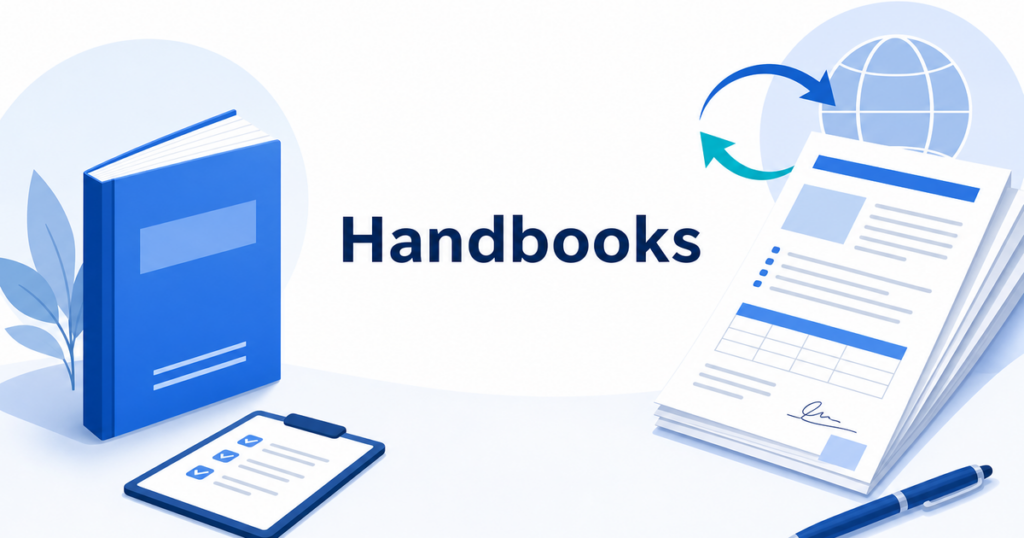

Employee handbooks are among the most formatting-heavy documents a business produces. Table of contents entries, numbered policies, signature blocks, bullet-pointed benefits lists, and embedded tables all need to survive the translation process intact. When you strip the formatting out, you lose the very structure that makes a handbook usable.
This article walks through a practical workflow for translating employee handbooks into one or more additional languages while keeping the original layout, numbering, and visual hierarchy intact.
Why Formatting Matters in Handbook Translation
An employee handbook is not a memo. It is a reference document that employees consult repeatedly. The formatting serves a functional purpose:
- Numbered sections map to specific policies that managers and employees cite in conversations and investigations.
- Tables summarize benefits, PTO tiers, and expense limits at a glance.
- Headers and sub-headers create a scannable hierarchy that helps non-native readers find what they need quickly.
- Signature pages often carry legal weight, confirming that the employee received and acknowledged the policies.
When translation scrambles this structure, you create confusion, not clarity. Employees may cite the wrong section number. Managers may struggle to find the policy they need. In the worst case, a reformatted document can introduce ambiguity where the original was clear.
Start With the Right File Format
Your source format determines how smoothly translation goes.
DOCX: The Best Starting Point
If your handbook lives in Microsoft Word (DOCX), you are in good shape. DOCX files carry rich structural information: heading levels, list styles, table definitions, and paragraph spacing. A translation tool that handles DOCX natively can preserve all of these elements without manual intervention.
Before sending the file for translation:
- Apply styles consistently. Make sure every heading uses a Heading style (Heading 1, Heading 2, etc.) rather than manually formatted bold text. This is the single most impactful preparation step.
- Use Word’s table tools. Avoid manually tab-separated columns. Real tables translate cleanly; tab-based layouts do not.
- Remove tracked changes. Accept or reject all changes and turn off Track Changes before translation. Embedded revision data can confuse translation engines.
- Check for embedded images with text. If your handbook includes screenshots or images with overlaid text, those text elements will not be captured in a standard document translation. Note them for separate handling.
PDF: Possible, but Requires Extra Steps
Many organizations distribute handbooks as PDFs. If the PDF was generated from a DOCX file, go back to the original DOCX for translation whenever possible. You will get better formatting preservation and a more editable result.
If you only have the PDF, look for a translation tool that can handle it directly. When evaluating tools, test with a sample page that includes tables and bullet lists, since these are the elements most likely to break.
The Translation Workflow
Here is a step-by-step workflow that works for most small and mid-sized businesses.
Step 1: Identify What Needs Translation
Not every page of a 60-page handbook may require translation. Common sections that businesses prioritize:
- Code of conduct and ethics policies
- Anti-harassment and anti-discrimination policies
- Safety and emergency procedures
- Benefits summaries
- Leave and attendance policies
- At-will employment disclaimers
Consult with your HR team and, if applicable, legal counsel to determine which sections are must-translates versus nice-to-translates.
Step 2: Run the AI Translation
Upload your DOCX or PDF file to a document translation tool. The tool should generate a translated version that mirrors the original layout.
What to look for in the output:
- Heading hierarchy preserved. H2s should still be H2s, not converted to bold paragraphs.
- List formatting intact. Numbered lists should remain numbered. Bullet lists should remain bulleted.
- Tables aligned. Column structure should hold. Text that runs longer in the target language should wrap, not overflow.
- Page breaks in sensible places. Section breaks may shift because translated text is often a different length than the original, but the overall flow should remain logical.
Step 3: Review for Accuracy and Tone
AI translation produces a strong first draft, but handbooks require careful review. Assign a bilingual reviewer who understands both the source language policies and the target language workplace norms.
Key areas to review:
- Policy-specific terminology. Words like “at-will employment,” “exempt employee,” or “qualifying event” have precise legal meanings in the United States that may not have direct equivalents in other languages.
- Tone. Employee handbooks typically use a professional but approachable tone. Machine translation can sometimes produce text that reads as overly formal or inappropriately casual.
- Cultural references. Examples, holidays, and workplace customs may need adaptation, not just translation.
Step 4: Handle Language-Sensitive Sections
Some handbook sections require more than translation. They require adaptation:
- Benefits sections may reference specific U.S. programs (FMLA, ADA, COBRA) that are not relevant to employees in other countries.
- Compliance statements may need to reference local regulations in the target language’s country.
- Acknowledgment pages may need to follow local signature customs.
For these sections, AI translation gives you a starting draft, but you should involve an HR professional or legal advisor familiar with the target country’s requirements.
Step 5: Finalize and Distribute
Once the translated handbook has been reviewed and any necessary adaptations made:
- Generate the final PDF or DOCX.
- Store both the source and translated versions in your document management system with clear naming conventions (e.g.,
Employee-Handbook-2026-EN.docxandEmployee-Handbook-2026-ES.docx). - Establish a process to keep translations in sync when the English version is updated.
Real-World Example: A 50-Page Handbook Translation
Consider a typical scenario: a mid-sized manufacturing company with 200 employees, 40% of whom speak Spanish as their primary language, needs to translate its 50-page employee handbook from English to Spanish.
The handbook contains:
- A 3-page table of contents
- 12 numbered policy chapters
- 8 tables covering benefits tiers, PTO accrual, and expense reimbursement limits
- 2 signature/acknowledgment pages
- An appendix with glossary terms
Using a document translation tool that handles DOCX natively, the company uploads the handbook and receives a translated version that preserves the heading hierarchy, table structures, and numbered lists. The HR coordinator then assigns a bilingual operations manager to review the translation, focusing on policy-specific terminology and cultural tone.
The review catches several items that need adjustment:
- “At-will employment” requires a contextual explanation, since this is a U.S.-specific legal concept
- The PTO accrual table needs verification that the translated column headers align correctly with the values
- One benefits table has text overflow in the “Eligibility Requirements” column, where the Spanish text runs about 25% longer than the English
After these adjustments, the handbook is finalized, saved alongside the English version, and distributed to employees. The entire process, from upload to distribution, takes roughly 3-4 hours of active work for a 50-page handbook.
Common Formatting Problems and How to Avoid Them
Problem: Table Columns Overflow
Some languages produce text that is 20-30% longer than English. When this text lands in a fixed-width table column, it can overflow or push into adjacent columns.
Solution: After translation, review every table. Adjust column widths as needed. If your translation tool supports it, set tables to auto-resize before running the translation.
Problem: Header and Footer Text Gets Lost
Headers and footers often contain company names, document titles, and page numbers. Some translation workflows skip these entirely.
Solution: Check with your translation tool whether headers and footers are included. If not, handle them manually.
Problem: Cross-References Break
If your handbook uses internal cross-references like “See Section 5.2 above,” those references may not update correctly after translation changes the document’s structure.
Solution: After translation, regenerate the table of contents and verify all cross-references point to the correct sections.
Keeping Translations Current
Employee handbooks are living documents. Policies change, benefits are updated, and legal requirements shift. Every time you revise the English version, you need a plan for updating translations.
A practical approach:
- Version control. Assign a version number to each edition of the handbook (e.g., v3.1, v3.2). When the English version changes, increment the version and note which sections changed.
- Targeted re-translation. Rather than re-translating the entire document, translate only the changed sections and merge them into the existing translated document.
- Annual review cycle. Even if no changes are made to the English version, schedule an annual review of translations to catch any phrasing that has become outdated or unclear.
When to Involve a Professional Translator
AI translation handles the bulk of the work efficiently, but certain situations call for professional human translation:
- Union agreements or collective bargaining references in your handbook
- Sections subject to regulatory audit where precise wording is required
- Languages where your team lacks a qualified bilingual reviewer
- Handbooks being used in jurisdictions with specific translation requirements for employment documents
In these cases, use AI translation to create a first draft, then have a professional translator refine it. This hybrid approach is faster and more cost-effective than starting from scratch with a human translator.
Choosing the Right Languages
Deciding which languages to translate your handbook into is a strategic decision, not just an operational one. Consider these factors:
- Workforce demographics. What languages do your current employees speak at home? Your HR system or benefits enrollment data may already capture this information.
- Geographic expansion plans. If you are opening an office in another country, you will need translated handbooks for that location regardless of your current workforce composition.
- Regulatory requirements. Some jurisdictions require that employment documents be available in specific languages when a certain percentage of the workforce speaks that language.
- Practical coverage. Translating into the top two or three non-English languages in your workforce typically covers the vast majority of needs. Translating into eight languages when only three are represented in your workforce may not be the best use of resources.
Start with the language spoken by the largest non-English segment of your workforce. Get the workflow right for one language. Then expand to additional languages using the same process.
What to Discuss With Your HR and Legal Teams
Before you begin translating, schedule a brief alignment meeting with your HR lead and, if possible, legal counsel. Key questions to resolve:
- Which sections carry legal weight? Some handbook sections (at-will disclaimers, anti-harassment policies, grievance procedures) have specific legal implications. These need the most rigorous review after translation.
- Do any sections reference benefits or programs that do not apply in the target language region? If so, decide whether to translate them as-is with a note, adapt them, or omit them from the translated version.
- What is the acknowledgment process? If employees sign an acknowledgment page confirming they received the handbook, determine whether the signature page should be in the translated version, the English version, or both.
- Who owns the review? Assign clear ownership for reviewing each translated section. Without named owners, the review step tends to stall.
Having these answers documented before you start translation prevents costly rework later.
Summary
Translating an employee handbook without losing formatting comes down to three things: starting with a well-structured source file, using a translation tool that handles your file format natively, and building in a review step for accuracy and cultural adaptation.
The formatting is not cosmetic. It is the framework that makes the handbook functional. Protect it through every step of the translation process.