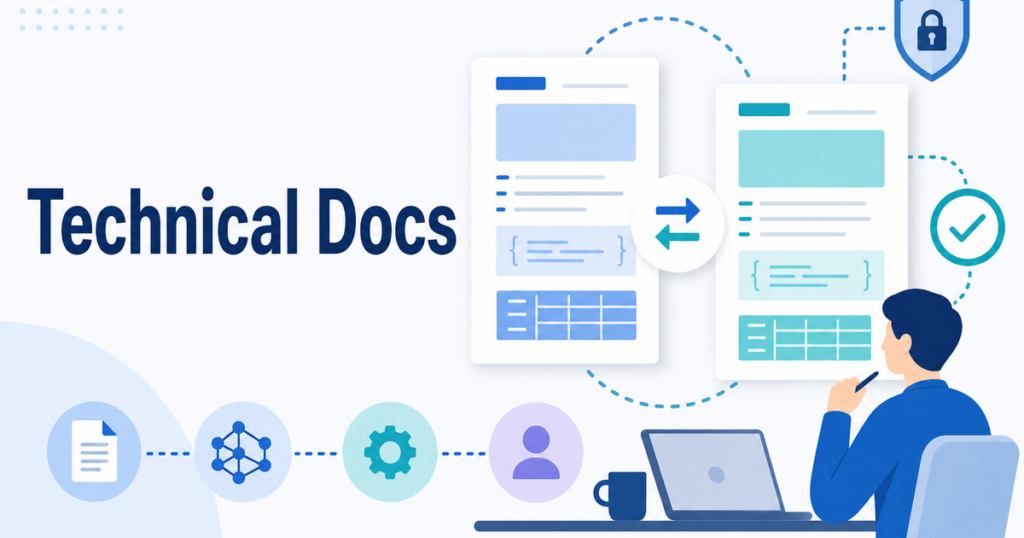
Technical documentation has zero tolerance for ambiguity. When an API reference says a parameter accepts values between 0 and 100, the translated version needs to convey exactly the same constraint. When a release note describes a breaking change, the translation must communicate the same urgency and the same remediation steps.
AI translation has reached a level where it can handle technical content effectively, but only when the workflow accounts for the unique demands of technical writing. This article covers how to use AI translation for technical documentation while maintaining the precision that developers, engineers, and end users expect.
What Sets Technical Documentation Apart
Technical documentation differs from general business content in several important ways:
- Precision is non-negotiable: A vague translation in a marketing email is forgivable. A vague translation in a safety procedure or an API specification is dangerous.
- Structured formats: Technical docs use tables, code blocks, parameter lists, and diagrams extensively. These elements must survive the translation process intact.
- Embedded code and commands: API endpoints, command-line syntax, configuration parameters, and code samples should not be translated at all.
- Version sensitivity: Technical documentation is tied to specific product versions. Translations must track versions accurately so readers are not following instructions that apply to a different release.
These characteristics mean that the translation workflow needs to handle code elements, preserve structural formatting, and maintain version alignment.
Types of Technical Documentation and Their Translation Needs
API Documentation
API docs contain endpoint descriptions, parameter definitions, request and response examples, and error code tables. The prose sections need translation, but the code blocks, JSON payloads, and endpoint URLs must remain untouched.
Translation tools need to recognize and preserve code formatting. If a translation tool inadvertently translates the field names in a JSON example, the resulting documentation becomes actively misleading for developers trying to integrate with your API.
Release Notes
Release notes are typically concise, listing new features, bug fixes, and breaking changes. They are produced on a regular cadence and need fast turnaround for translation. Speed matters because developers in every market need to know about changes at the same time.
The challenge with release notes is consistency across versions. The way you describe a "bug fix" in version 2.1 should be consistent with how you described it in version 2.0. A shared glossary of release note terminology helps maintain this consistency.
User Guides and Admin Documentation
User guides combine instructional prose with screenshots, step-by-step procedures, and reference tables. They are often the longest technical documents and benefit most from AI translation's ability to handle large volumes quickly.
The translation challenge here is maintaining the connection between text and visuals. If a translated procedure references "the button shown in Figure 3" but the figure numbering has shifted, the reader loses the visual reference they need.
Architecture and Design Documents
These documents describe system design, data flows, and integration patterns. They often contain diagrams with embedded text, which presents a translation challenge similar to the screenshot problem in user guides.
For architecture documents, the priority is accurate translation of technical concepts. Terms like "event-driven architecture," "idempotency," and "eventual consistency" have specific meanings that must be preserved in translation.
Onboarding Guides
Technical onboarding guides walk new users or developers through initial setup, configuration, and first-use scenarios. They combine procedural instructions with system requirements, prerequisite information, and troubleshooting tips.
When translating onboarding guides, the most critical elements are system requirements and prerequisite lists. If the translated version lists different minimum specifications or omits a required dependency, new users will encounter errors that the English version would have helped them avoid.
Knowledge Base Articles
KB articles are typically shorter than full user guides but are updated more frequently. They need a translation process that supports incremental updates without requiring full retranslation every time an article is revised.
For KB articles, consider establishing a regular translation cadence. Rather than translating every article update as it happens, batch updates on a weekly or biweekly cycle. This reduces the overhead of managing individual translations while keeping content reasonably current.
Building a Technical Translation Glossary
A well-maintained glossary is the single most important asset for technical documentation translation. Your glossary should include:
Product and Feature Names
Decide which names stay in English and which get translated. Many products keep feature names in English across all markets because users encounter them in the interface. Others translate feature names to make them more accessible to non-technical users.
Technical Terms
Compile a list of technical terms that appear frequently in your documentation. For each term, specify the approved translation and provide context about how it is used. A term like "deployment" might have different translations depending on whether it refers to software, infrastructure, or a military context.
Acronyms and Abbreviations
Technical documentation is full of acronyms: REST, API, SDK, CI/CD, SSO, RBAC. Decide which ones to leave in English, which to translate with the acronym in parentheses, and which to expand fully in the target language.
Code Elements
Create a clear rule set for handling code elements. Typically, this means:
- Do not translate API endpoints, URLs, or file paths
- Do not translate parameter names, function names, or variable names
- Do not translate command-line syntax or shell commands
- Do translate descriptive text within code comments if your documentation includes commented examples
The Translation Workflow
Step 1: Prepare Your Source Documentation
Ensure your technical documentation is well-structured before translation. Use proper heading hierarchies, format code blocks with the correct markup, and use table formatting for parameter lists rather than tab-delimited text.
If your documentation is stored in a version control system, tag the version you are translating so you can track which translation corresponds to which release.
Step 2: Configure Your Translation Tool
Set up your translation tool with your glossary loaded and your code handling rules configured. If you are using a tool like Jitan Translate that handles DOCX, PDF, PPTX, and XLSX formats, confirm that it preserves code blocks and does not attempt to translate embedded code.
Step 3: Generate the AI Draft
Upload your documentation and generate the translation. For large document sets, consider translating by section or chapter rather than all at once. This makes it easier to manage reviews and catch formatting issues early.
Step 4: Technical Review
Assign a technical reviewer who is fluent in the target language and familiar with your product. The technical review should focus on:
- Accuracy of technical descriptions: Does the translation correctly describe how the feature works?
- Code element preservation: Are all code blocks, parameter names, and syntax examples untouched?
- Procedural accuracy: Do translated step-by-step instructions match the actual product behavior?
- Terminology consistency: Does the translation use the terms defined in your glossary?
This review is critical. AI translation can produce fluent prose that sounds correct but subtly misrepresents technical details. A reviewer who knows the product will catch these errors.
Step 5: Format Verification
Separately verify that formatting has been preserved. Check that:
- Tables render correctly with all rows and columns intact
- Code blocks are properly formatted and not corrupted
- Image captions and figure references still align
- Cross-references between sections point to the correct locations
In many teams, the format verification is done by a different person than the technical review. This separation ensures that one person focuses on content accuracy while another focuses on structural integrity.
Handling Diagrams and Screenshots
Diagrams and screenshots are among the most labor-intensive elements to translate in technical documentation. There are several approaches:
Leave Diagrams in English
If your audience is technical enough to read English labels on diagrams, this is the simplest approach. Add a note at the beginning of the translated document explaining that diagrams use the original English labels.
Translate Diagrams Separately
For diagrams created in tools like Visio, Lucidchart, or draw.io, you can export the text, translate it, and reimport it. This preserves the visual layout while translating the labels.
Use Numbered Callouts
Replace text labels in diagrams with numbered callouts, then provide a translated legend below the diagram. This avoids the need to modify the diagram itself while still making the content accessible in the target language.
Screenshots present a similar challenge. If your product has a localized interface, retake screenshots in the target language. If not, translate the surrounding text and note that the screenshots show the English interface.
Choosing the Right File Format for Translation
Technical documentation is often published in multiple formats: web-based HTML, downloadable PDF, and editable DOCX source files. The format you choose for translation affects the quality and usability of the output.
DOCX as the Translation Source
When available, DOCX is usually the best format for translation. Word documents use structural markup for formatting rather than fixed visual positioning, which means translated text can reflow naturally within the document. Tables, headings, lists, and styles are more likely to remain usable when the workflow is designed for document structure, but reviewers should still verify the final layout.
If your documentation tool exports to DOCX, use that export as your translation source. After translation, you can generate PDFs from the translated DOCX files.
PDF for Archive-Only Content
For older documentation that exists only as PDF, choose a translation tool that can handle PDF input and produce a formatted output. Be aware that PDF translation may not match the quality of DOCX translation for documents with complex layouts.
PPTX for Presentation-Based Documentation
If your technical documentation includes presentation-format content, such as architecture overview decks or feature walkthrough slides, use PPTX format for translation. Presentation files need careful attention to text box sizing and slide layout, as described earlier in this article.
Managing Ongoing Updates
Technical documentation is a living resource. New versions bring new content, and translations need to keep pace. A practical approach includes:
- Maintaining a translation memory or glossary that accumulates with each translation cycle
- Tracking which English version corresponds to each translation
- Using change logs to identify which sections have been updated and need retranslation
- Prioritizing translation of critical updates, such as breaking changes and security advisories, before lower-priority content
Security Considerations for Technical Documentation
Technical documentation may contain sensitive information about your infrastructure, security architecture, or internal processes. Before uploading these documents to any translation service, verify:
- How documents are stored and for how long
- Whether content is used to train AI models
- What access controls and encryption protect your files
- Whether you can delete documents from the provider's systems after translation
The NIST AI Risk Management Framework provides guidance on managing risks associated with AI systems, including considerations for data handling that are relevant when choosing a translation provider.
Source: https://www.nist.gov/itl/ai-risk-management-framework
Conclusion
AI translation can handle technical documentation effectively when the workflow accounts for the unique demands of technical content. By building a comprehensive technical glossary, using translation tools that preserve code elements and formatting, and conducting thorough technical reviews, you can produce translated documentation that meets the precision standards your users expect.
The key is treating AI translation as part of a structured process rather than a one-click solution. Invest time in your glossary, train your technical reviewers, and verify formatting separately from content. With this approach, translated technical documentation becomes a sustainable, repeatable part of your documentation workflow rather than an afterthought that delays your international releases.